Chapter 2 of 6 · Create & edit
Build projects and change them with care.
Create a new project, add devices from product data, adjust parameters and links – and check every change before it is saved as a separate file.
01
A project from scratch
KNX Atlas creates new projects. You build the topology with areas and lines and the building structure with buildings, floors and rooms, and place the devices in them.
The project file is written in the same structure ETS uses for a new project. Like every edit, it is saved with “Save As” as a separate, password-protected file.
02
Devices from product data
Devices come into the project from the manufacturers’ product data. KNX Atlas offers three sources and keeps the products you use in its own product library on the device.
Product library
Reuse products you have already imported or downloaded.
.knxprod files
Import manufacturers’ product files through the file picker.
KNX Online Catalog
Search and download products from KNX Association’s public catalog – no account needed.
Update the application
For supported products, update or change a device’s application, as in ETS.
03
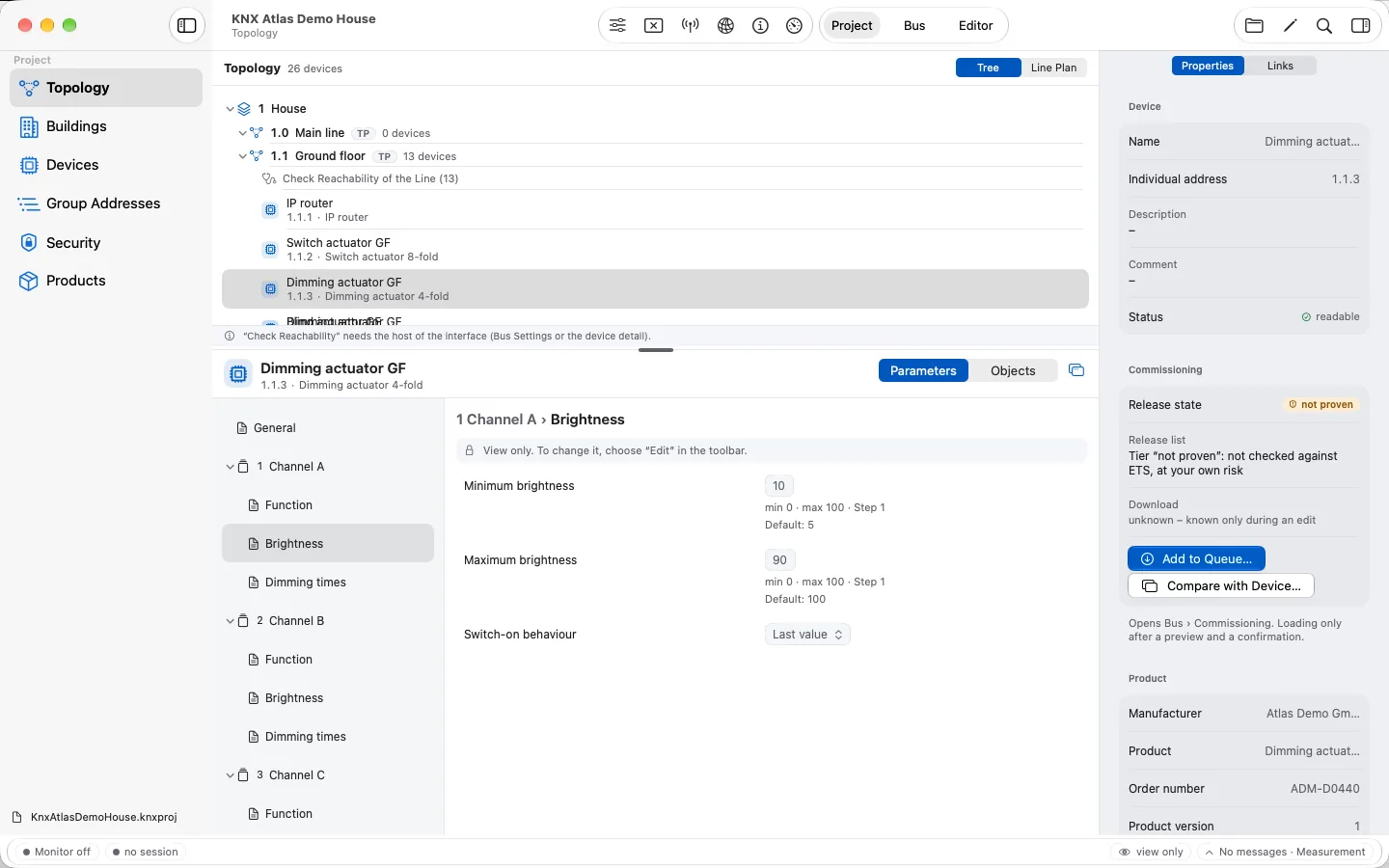
Parameters, addresses and links
Editing happens in an editor session you start on purpose. The app shows which entries can be changed; that depends on the product data, the project state and, where relevant, secure requirements.
Input follows each parameter and its rules. Dependencies within the parameter pages are respected, and a rejected value is explained instead of being silently accepted.
Parameter values
Change values with the fitting input fields.
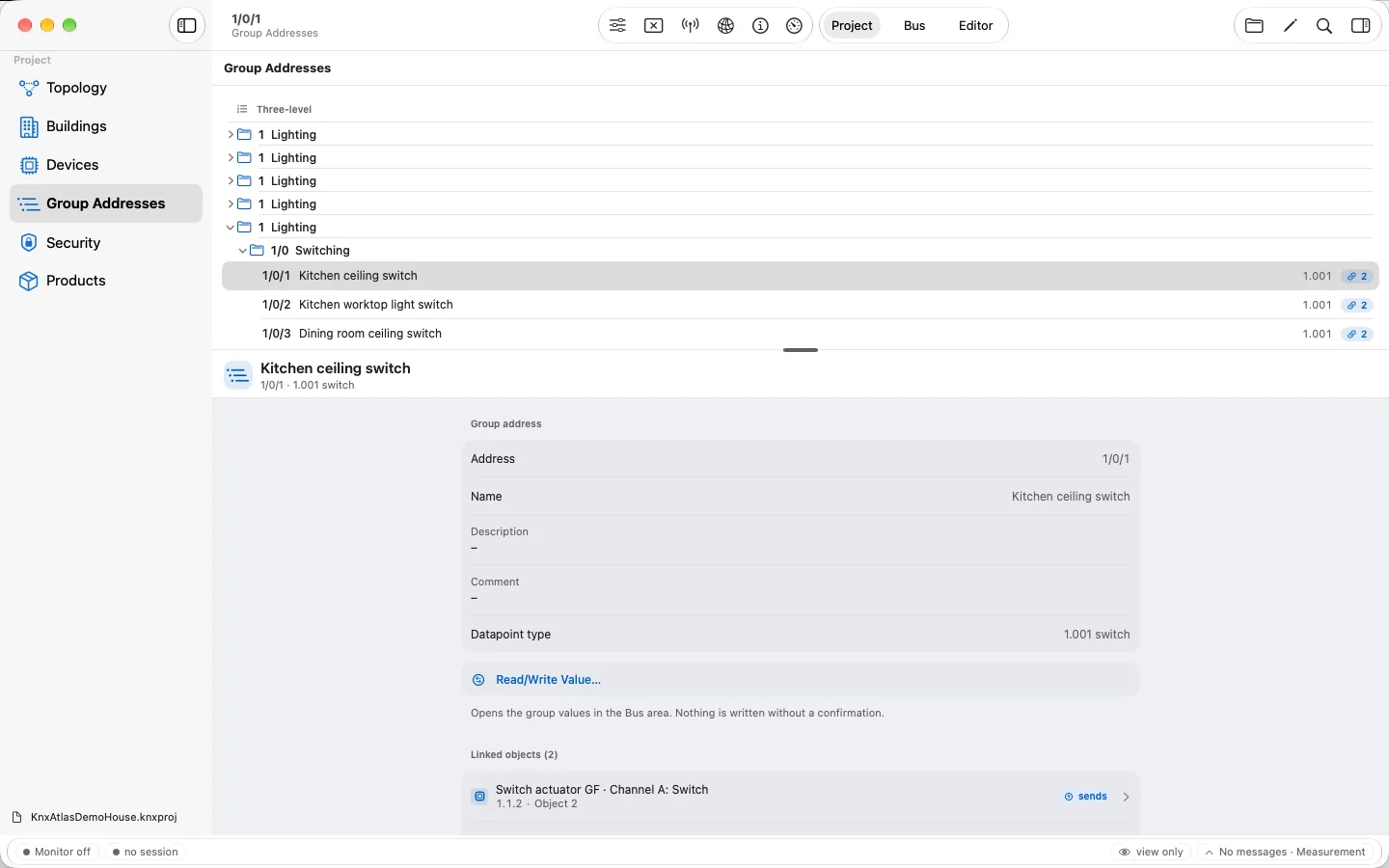
Group addresses
Create, rename or delete addresses as far as the checks allow.
Links
Connect objects to group addresses, unlink them and set the sending address.
Object settings
Adjust supported flags and priorities of a communication object.
04
See more than the new value
The change overview lists every accepted change with its labels. Undo and redo let you try variants or take back a single step.
Under “Impact” you check the effect on the affected devices – down to the configuration data and tables computed from them. Check messages name limits or reasons why a change cannot be accepted.
05
Keep the original as your starting point
The first save goes through “Save As” into a separate file; the original project file is not overwritten. A file written by KNX Atlas can then be edited further and saved again.
Unsaved changes are clearly marked. On the Mac the app asks when you close; on iPad and iPhone, save before switching to other apps.
06
Back to ETS
ETS checks the signature of a project file. It therefore opens a project written by KNX Atlas only after it has been re-signed, and rejects it before that. If the project is to be continued in ETS later, consider this before editing.
Saving changes only the project file. The real installation receives new parameters, addresses or applications only through commissioning.
Frequently asked questions
What can I change in a project?
Parameter values, group addresses, links between objects and group addresses, and supported flags and priorities. You can also build topology and buildings, add or remove devices and, for supported products, update the application. What is possible in a specific case depends on the product data.
Is my original project file changed?
No. On the first save, KNX Atlas creates a separate file with “Save As”. The original file stays as it is.
Does a change affect my installation immediately?
No. The editor changes the project, and saving does not transfer anything to a device either. That is the job of commissioning – a separate step with preview and confirmation.
Do I need an account for the KNX Online Catalog?
No. KNX Atlas searches the public catalog without signing in. Only your search text and the products you want to download are sent.