In development · Preview 0.10
View, check and edit KNX projects – without ETS.
For Mac, iPad and iPhone.
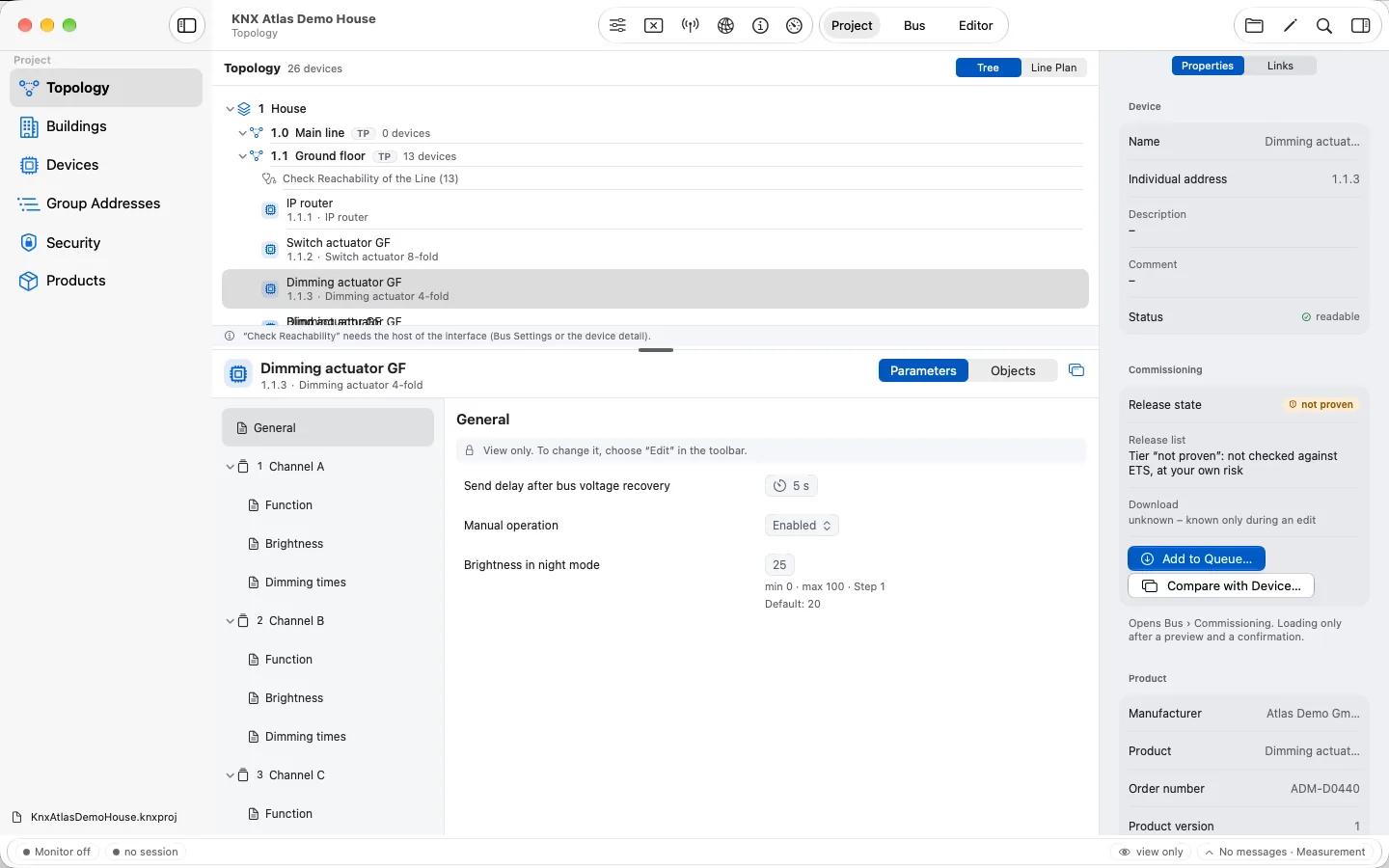
KNX Atlas opens your ETS project file right on your Apple devices. Topology, buildings, devices, parameters and group addresses become an atlas of your installation – and on site you watch the bus, read group values and commission devices.
- Native for ApplemacOS, iPadOS and iOS 26
- Processed locallyNo upload, no account
- KNXnet/IPTunnelling with KNX IP Secure
- ETS6 projects.knxproj, password-protected too
Features
From the overview to the loaded device.
KNX Atlas supports the work on a KNX installation through every phase – from first opening the project file to commissioning on site.
Explore projects
Topology, line plan, buildings, devices and group addresses – linked, searchable and available without a connection to the installation.
Learn moreCreate projects
Build new projects with topology and building structure. Add devices from the product library, from .knxprod files or from the KNX Online Catalog.
Learn moreParameters & links
Change parameters, group addresses, object links, flags and priorities – with undo, a change overview and an impact check.
Learn moreCommissioning
Load devices like ETS does: a preview with impact and duration, a backup before, readback and comparison after – one by one or as a queue.
Learn moreIndividual addresses
Program the individual address of a device in programming mode – exactly one device, after explicit confirmation.
Learn moreMonitor & diagnosis
Group and bus monitor with filters, marks and CSV export. Check reachability, mask version and programming mode.
Learn moreGroup values
Read values and write them with input that fits the datapoint type. Every write is confirmed with target and preview first.
Learn moreKNX Secure
Understand and use KNX IP Secure and KNX Data Secure – from the secure tunnel to loading Data Secure devices.
Learn more
One project. Many perspectives.
See your installation the way you need it right now.
Sometimes you know the individual address, sometimes only the room or the device name. Every view leads to the same project – from the overview to the details is a single click.
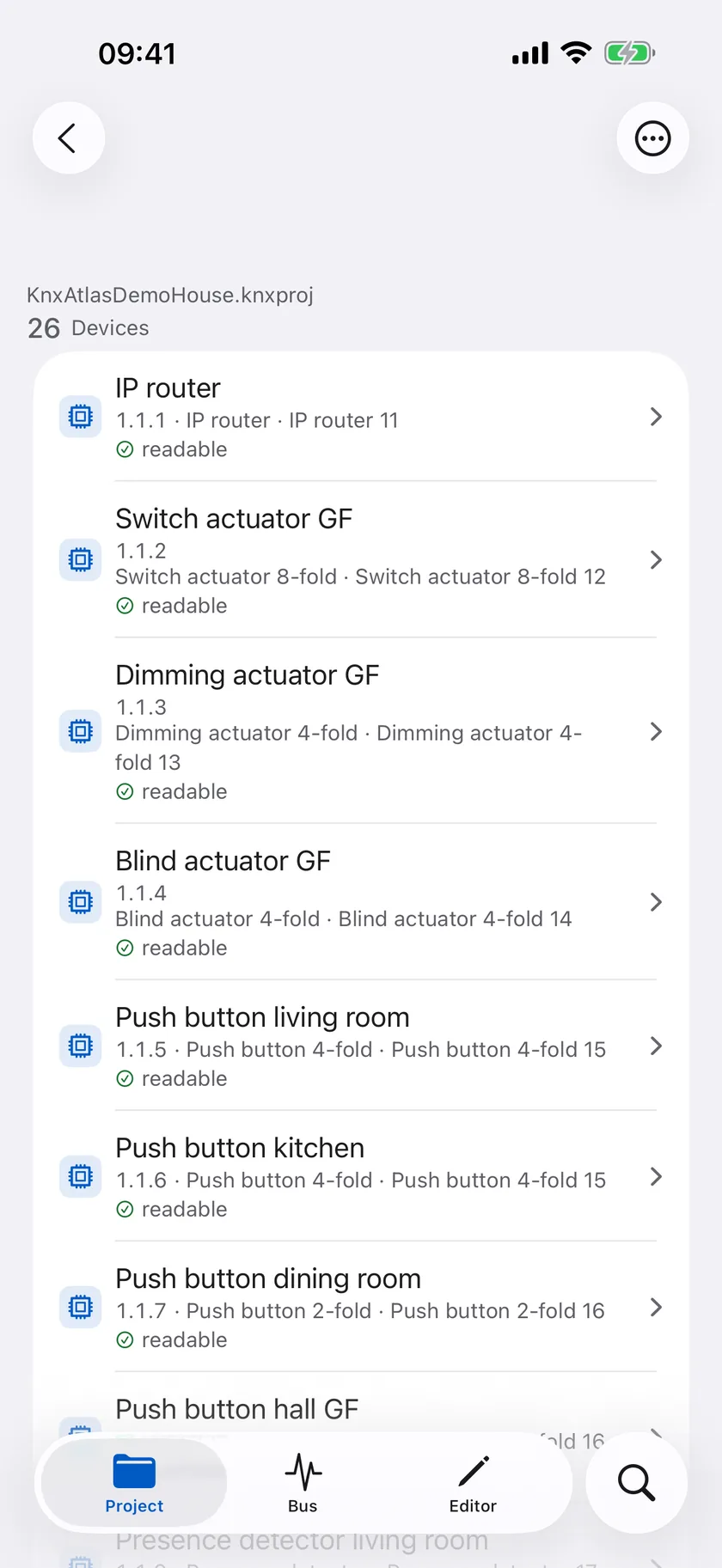
Devices
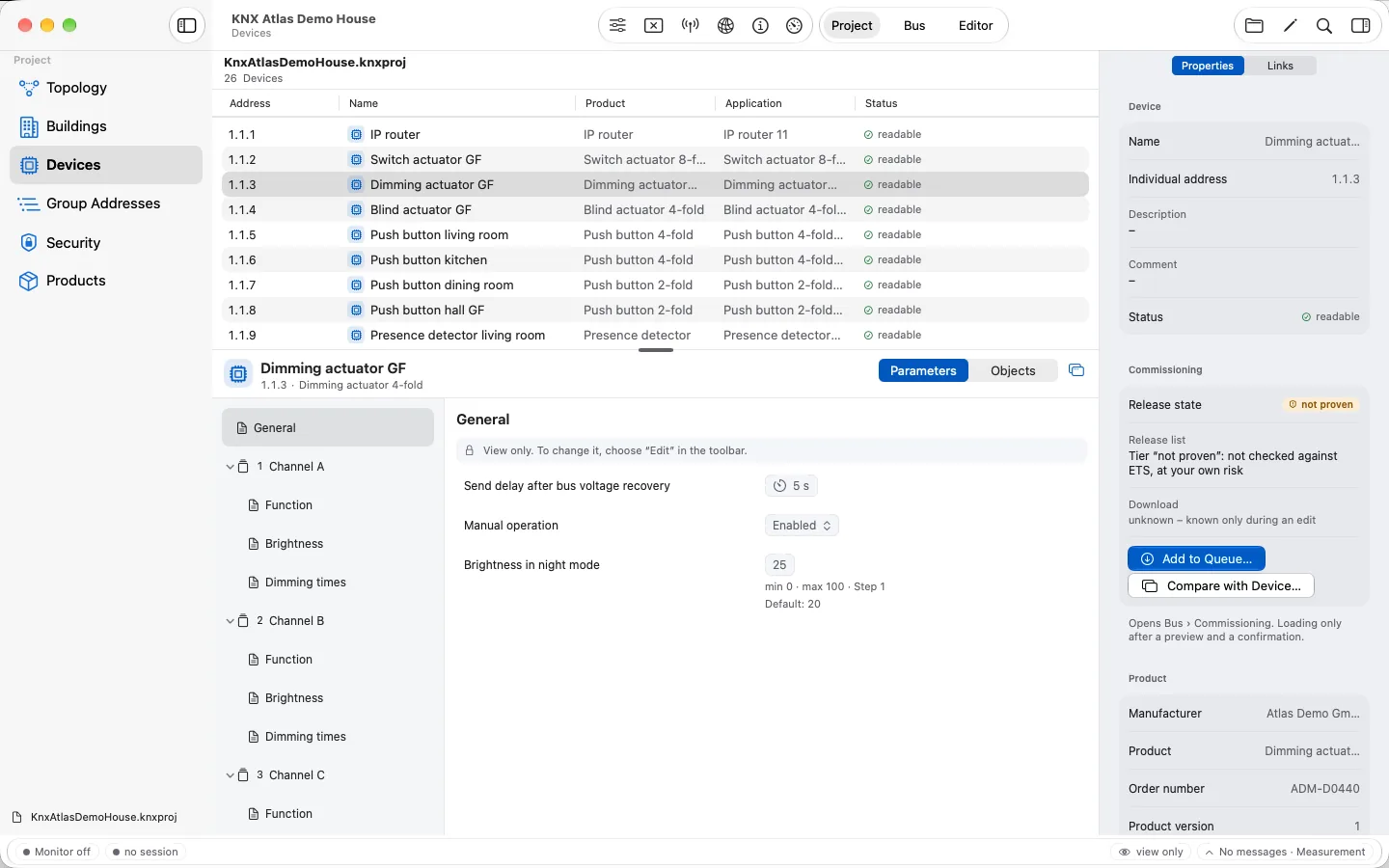
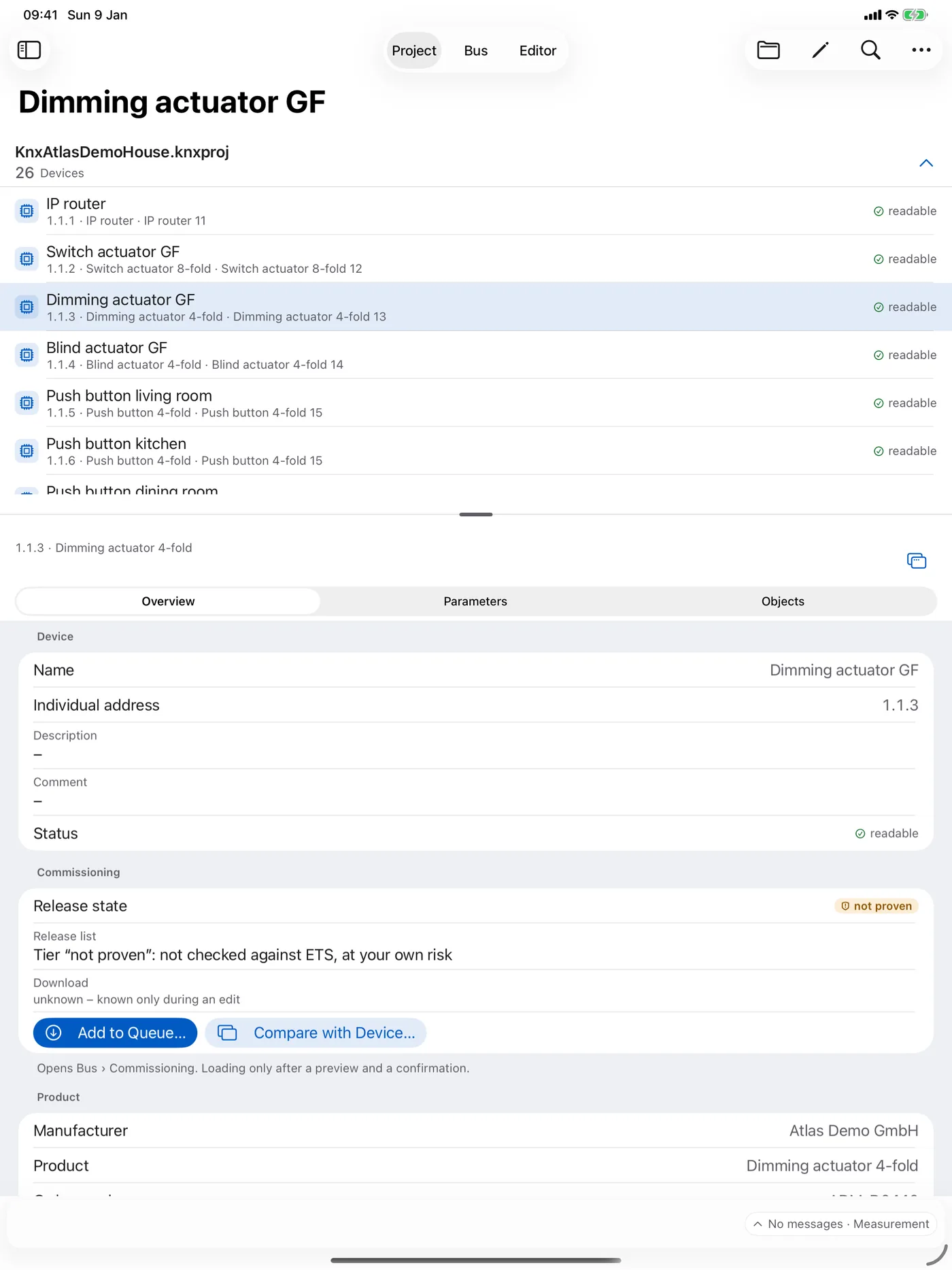
Every device of the project with address, product, application and status. Below, the parameters and objects of the selected device open.
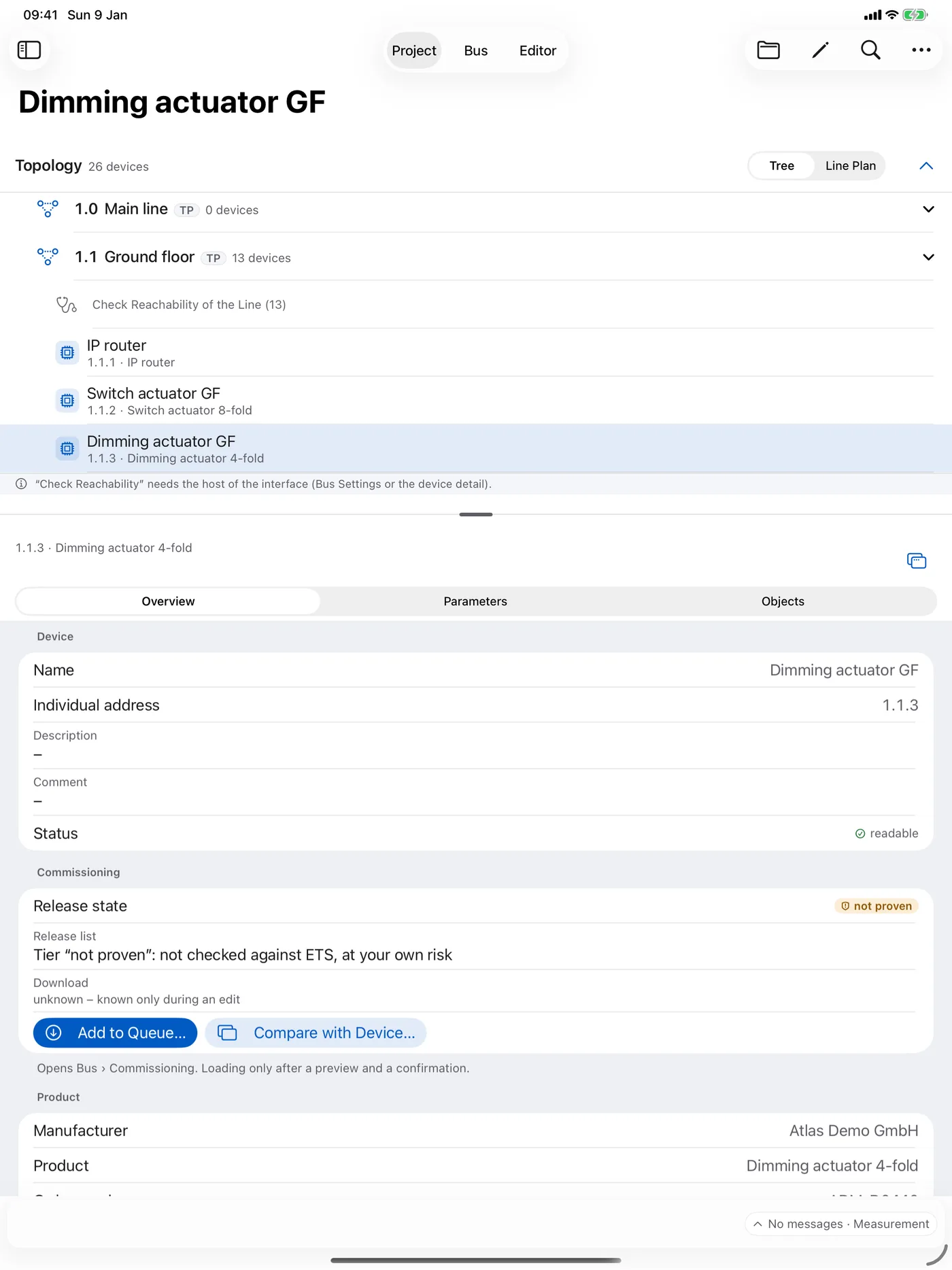
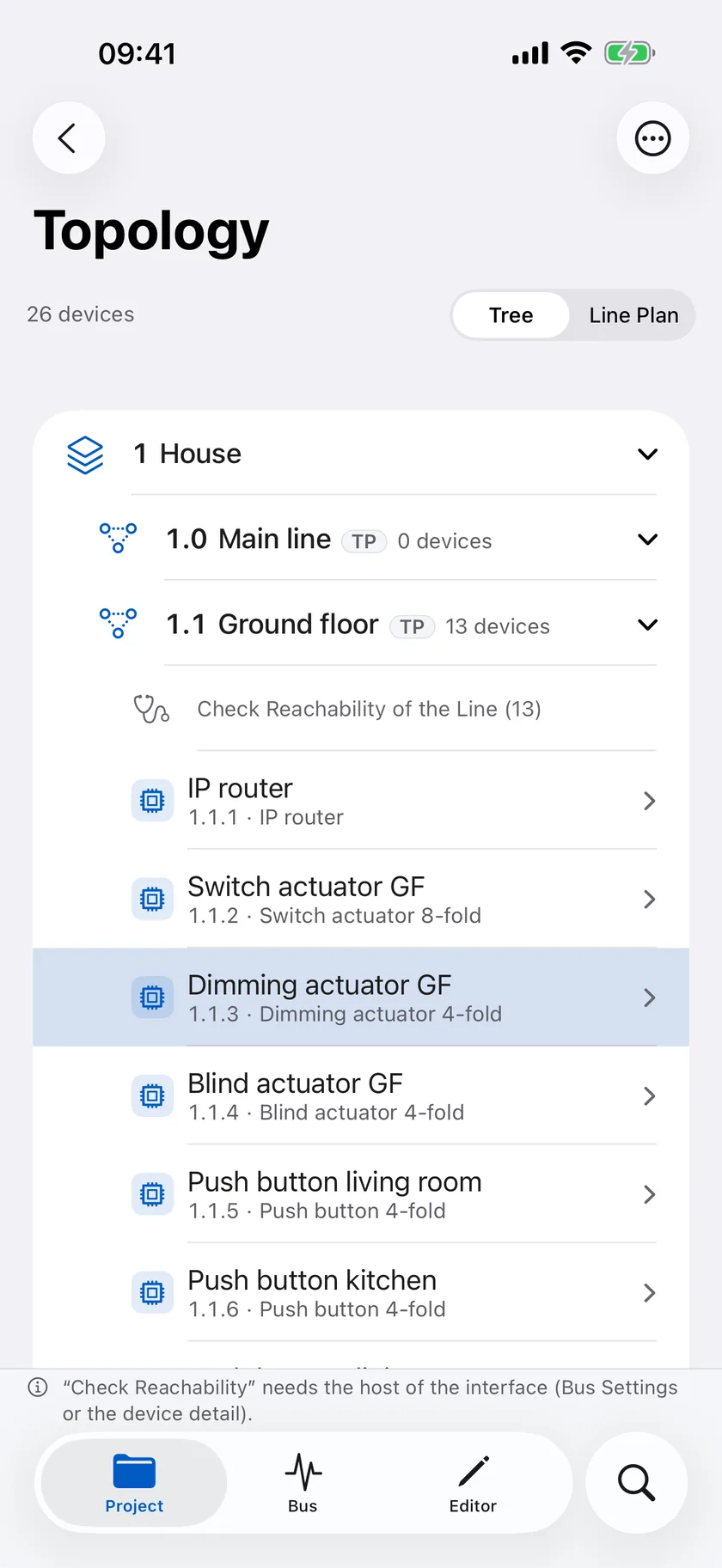
Topology
Areas, lines and devices as a tree. From here you can also check whether all devices of a line are reachable.
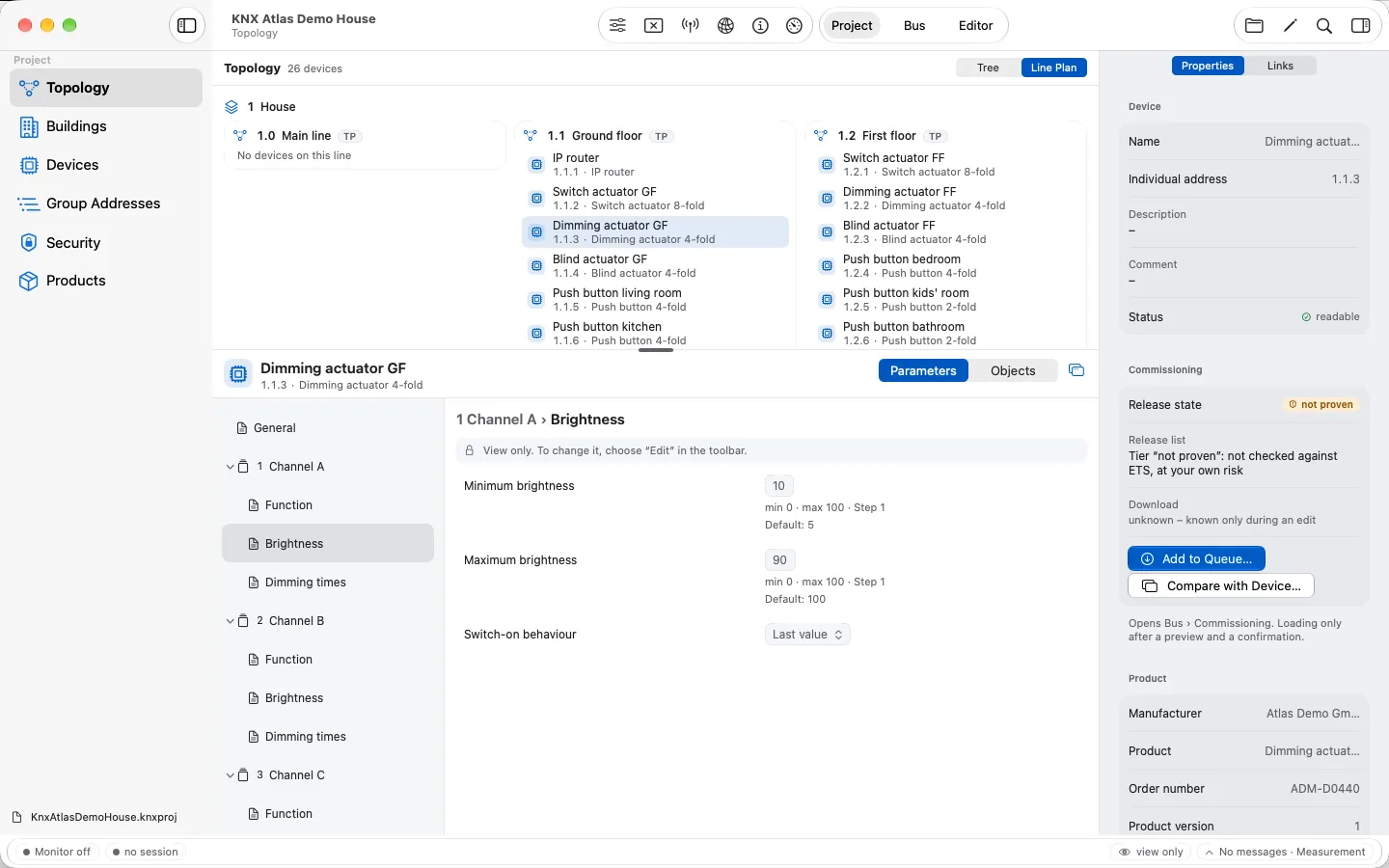
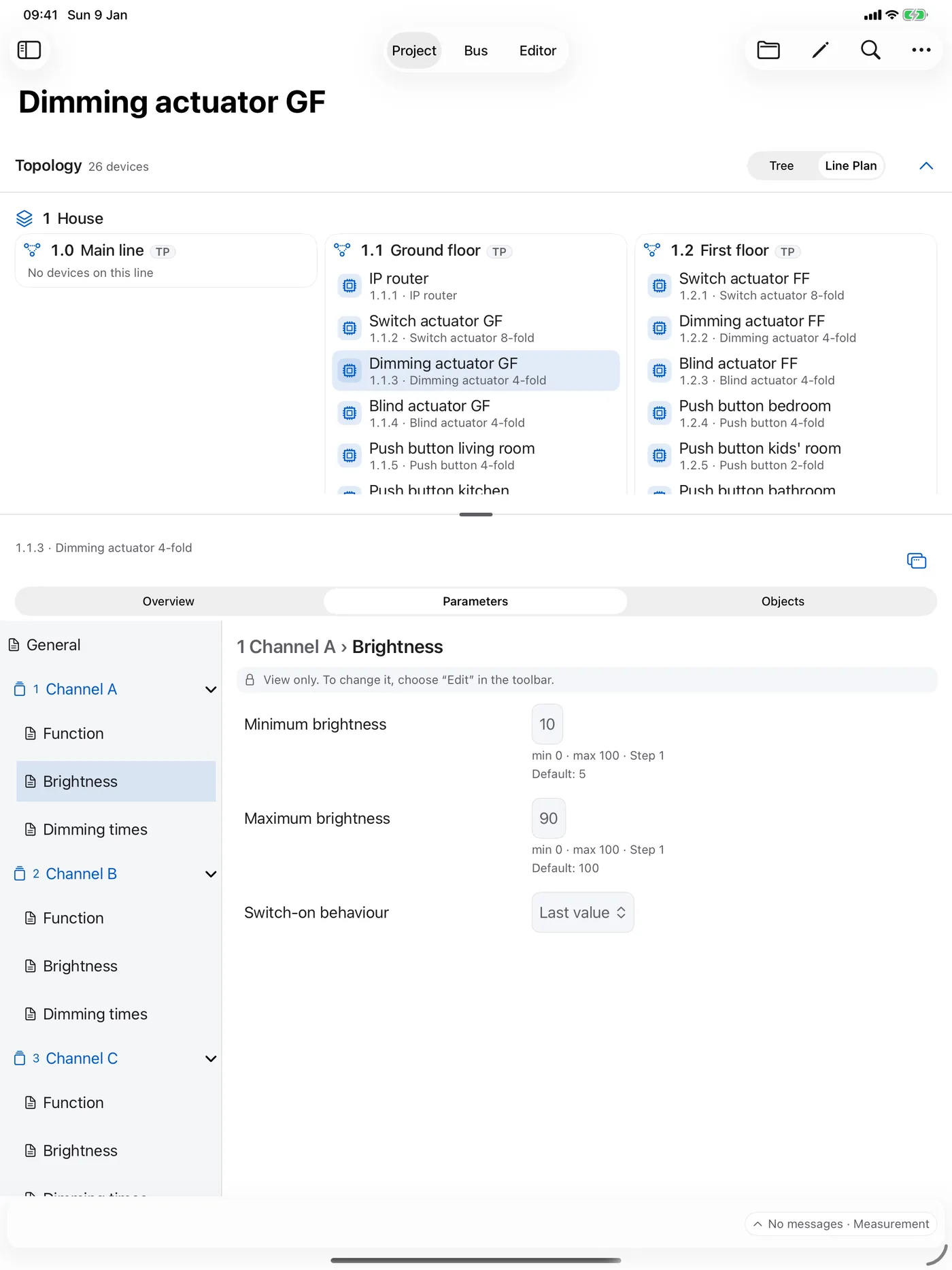
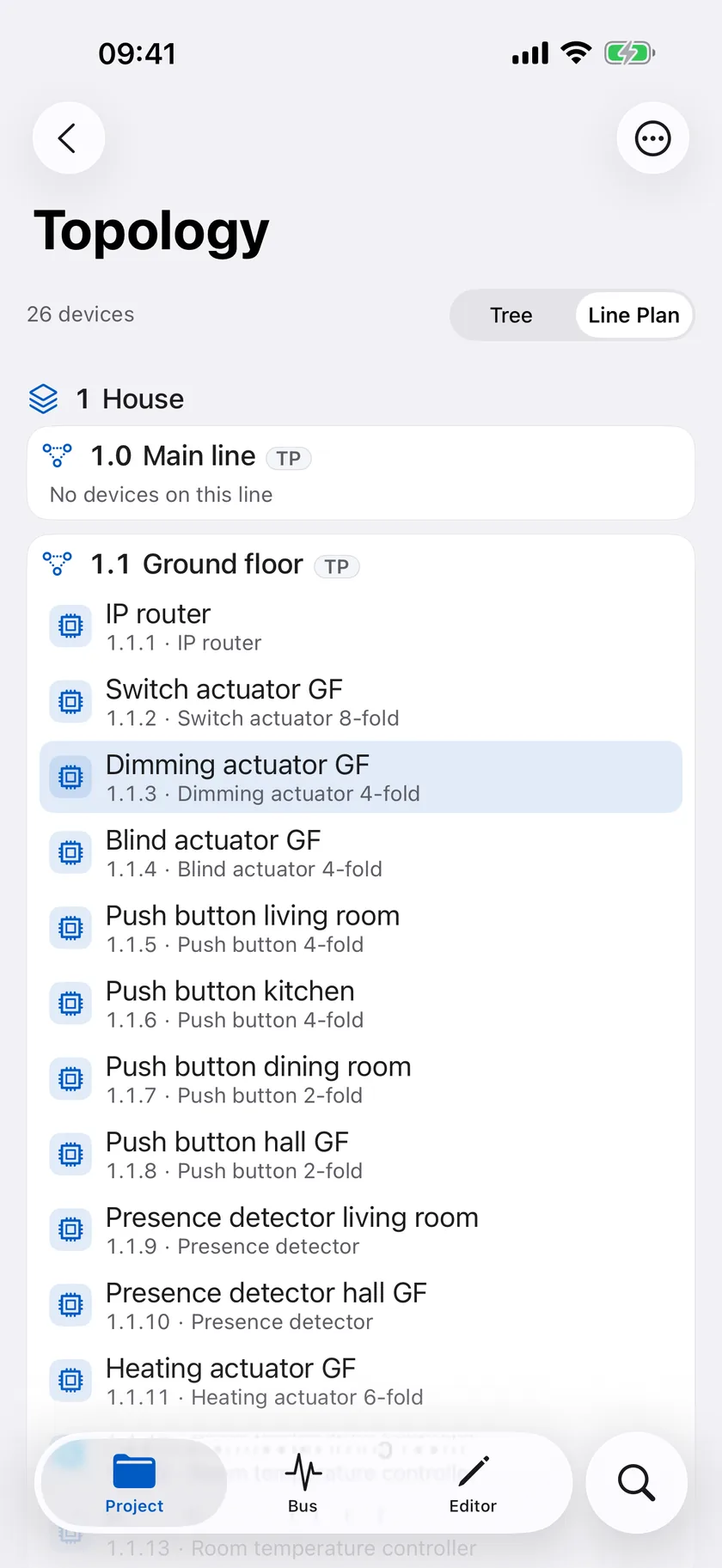
Line plan
The topology as a plan: lines side by side, their devices below – ideal to grasp an installation at a glance.
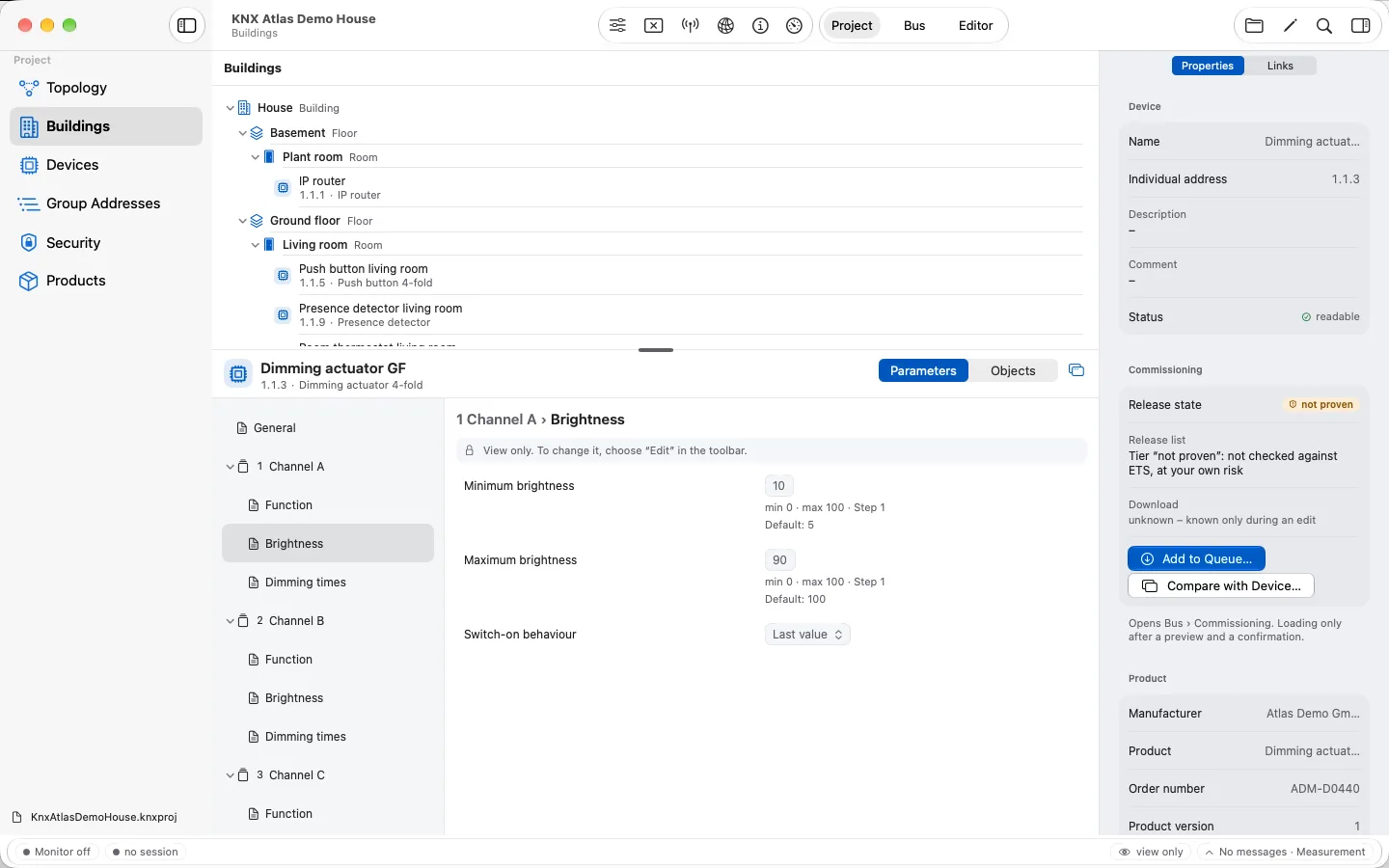
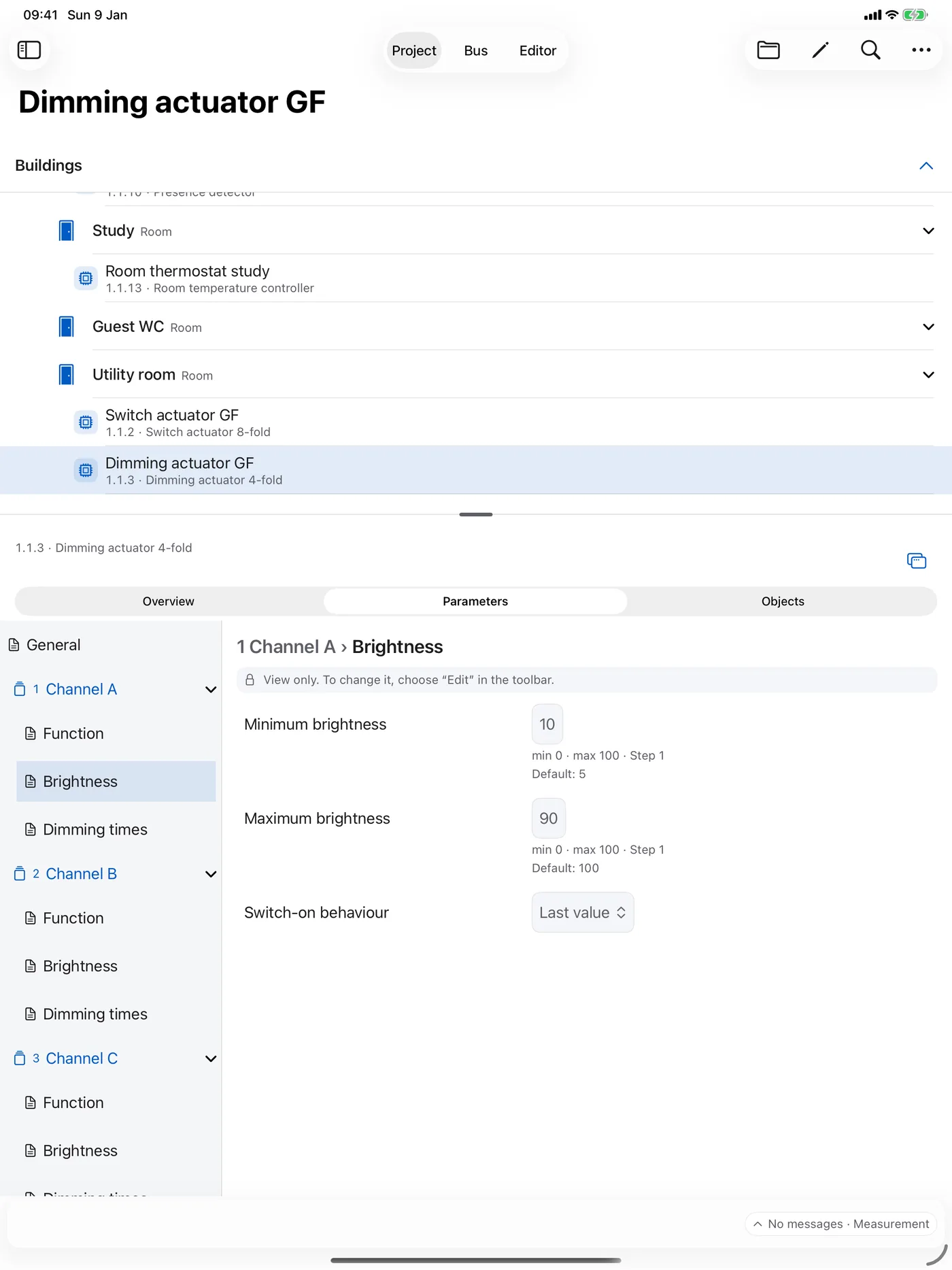
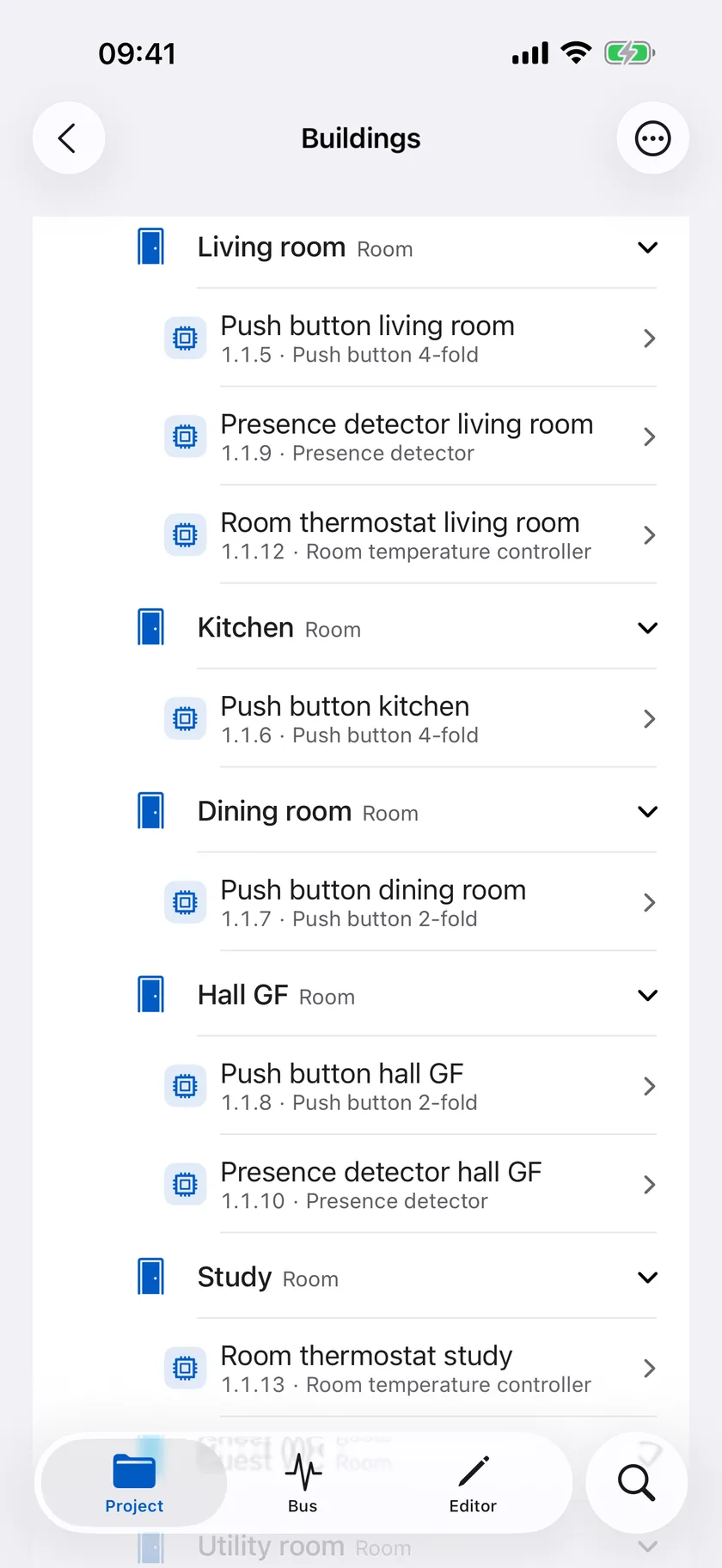
Buildings
Buildings, floors and rooms with the devices installed there. Spatial orientation for a walk through the installation.
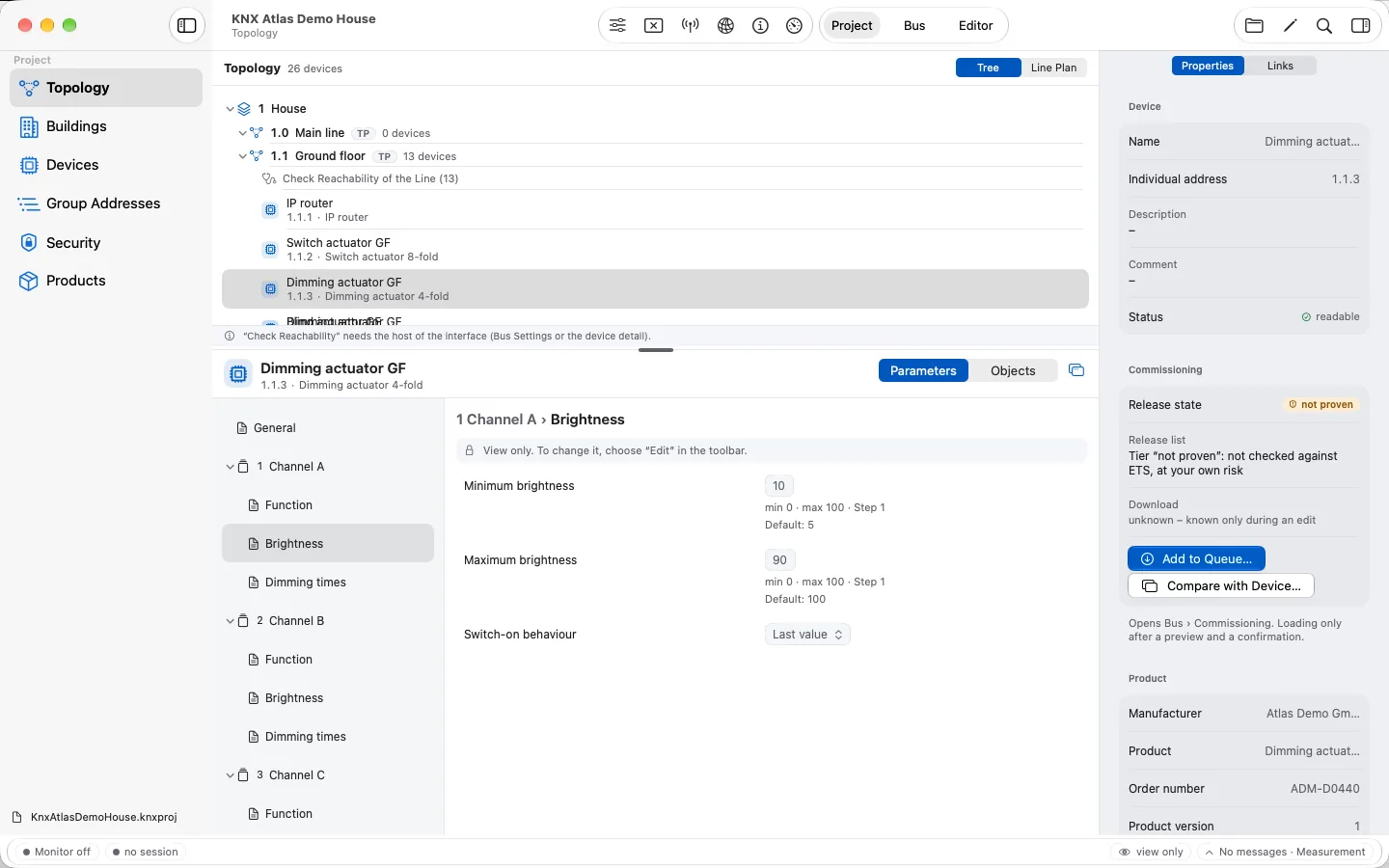
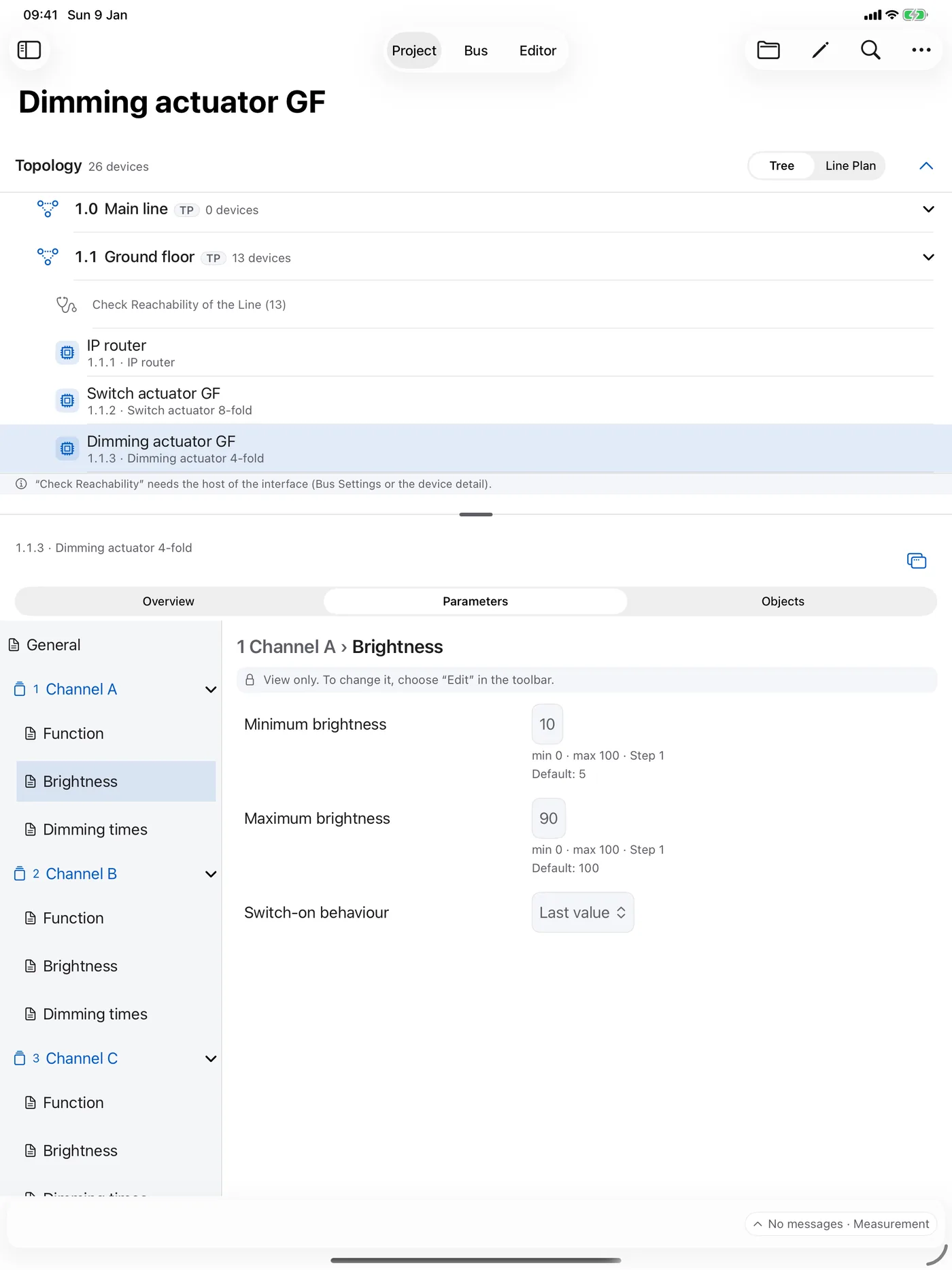
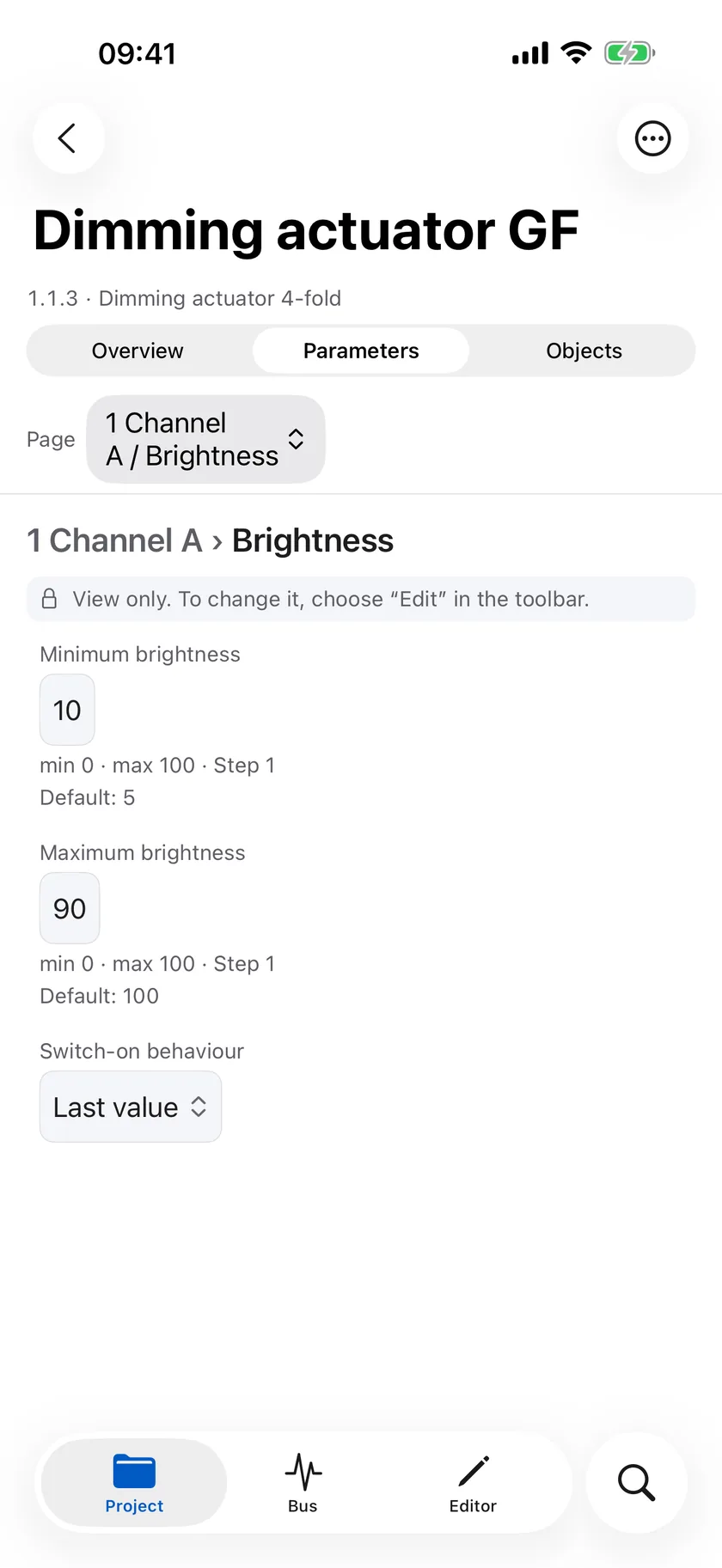
Parameters
Parameter pages in the structure of the product data, with range, step and default. Changes happen only in the editor.
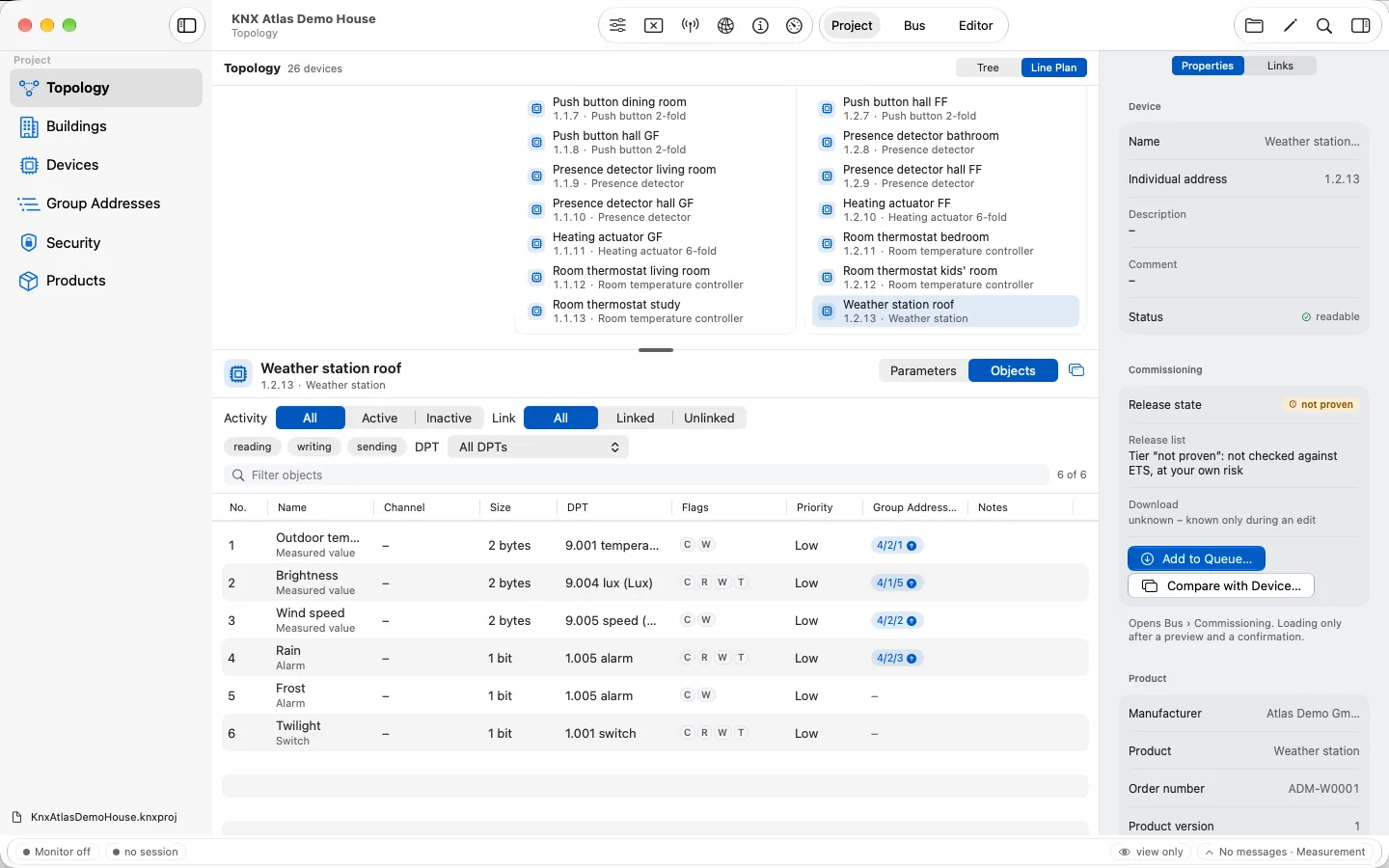
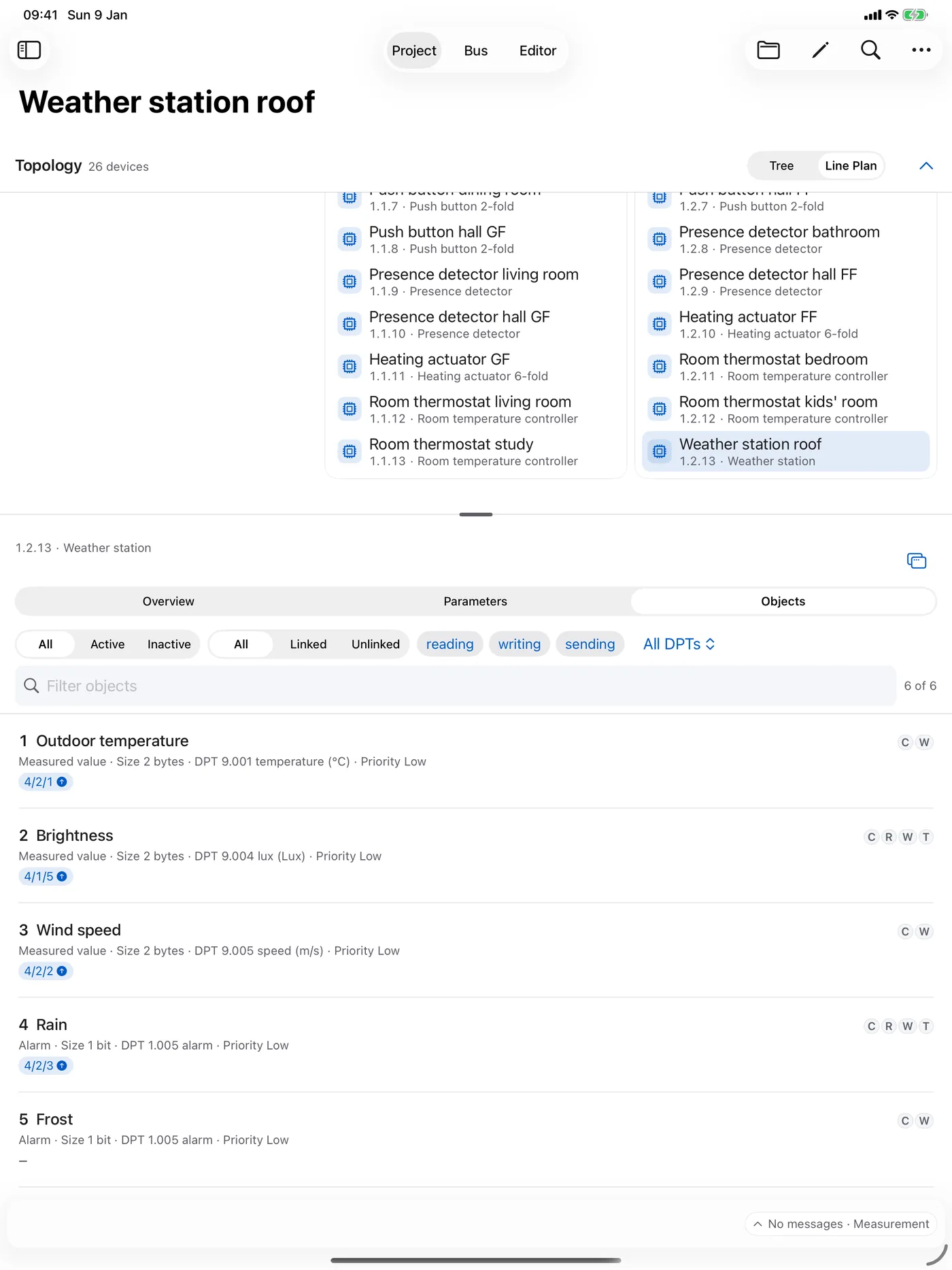
Objects
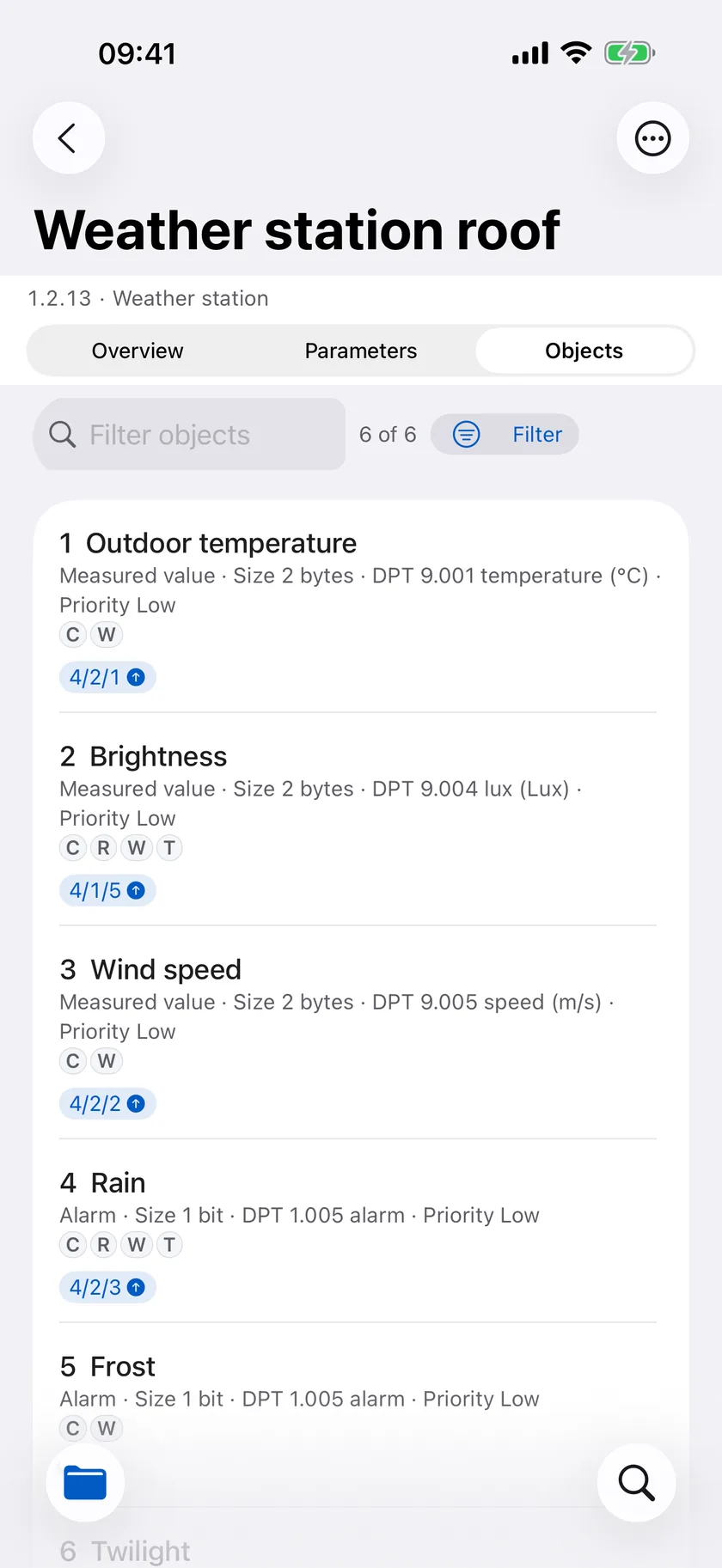
Communication objects with size, datapoint type, flags, priority and group addresses – filtered by activity, link and direction.
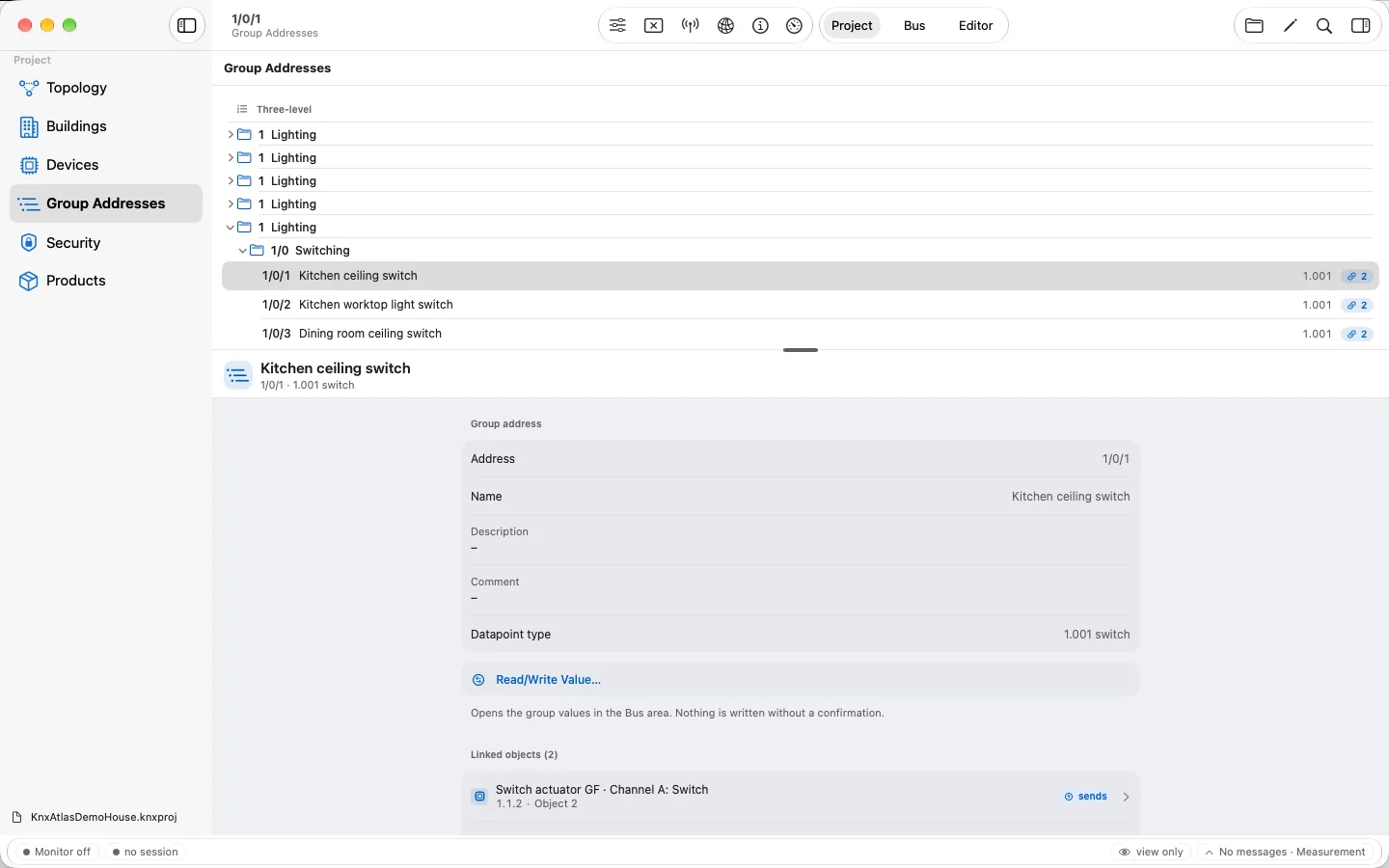
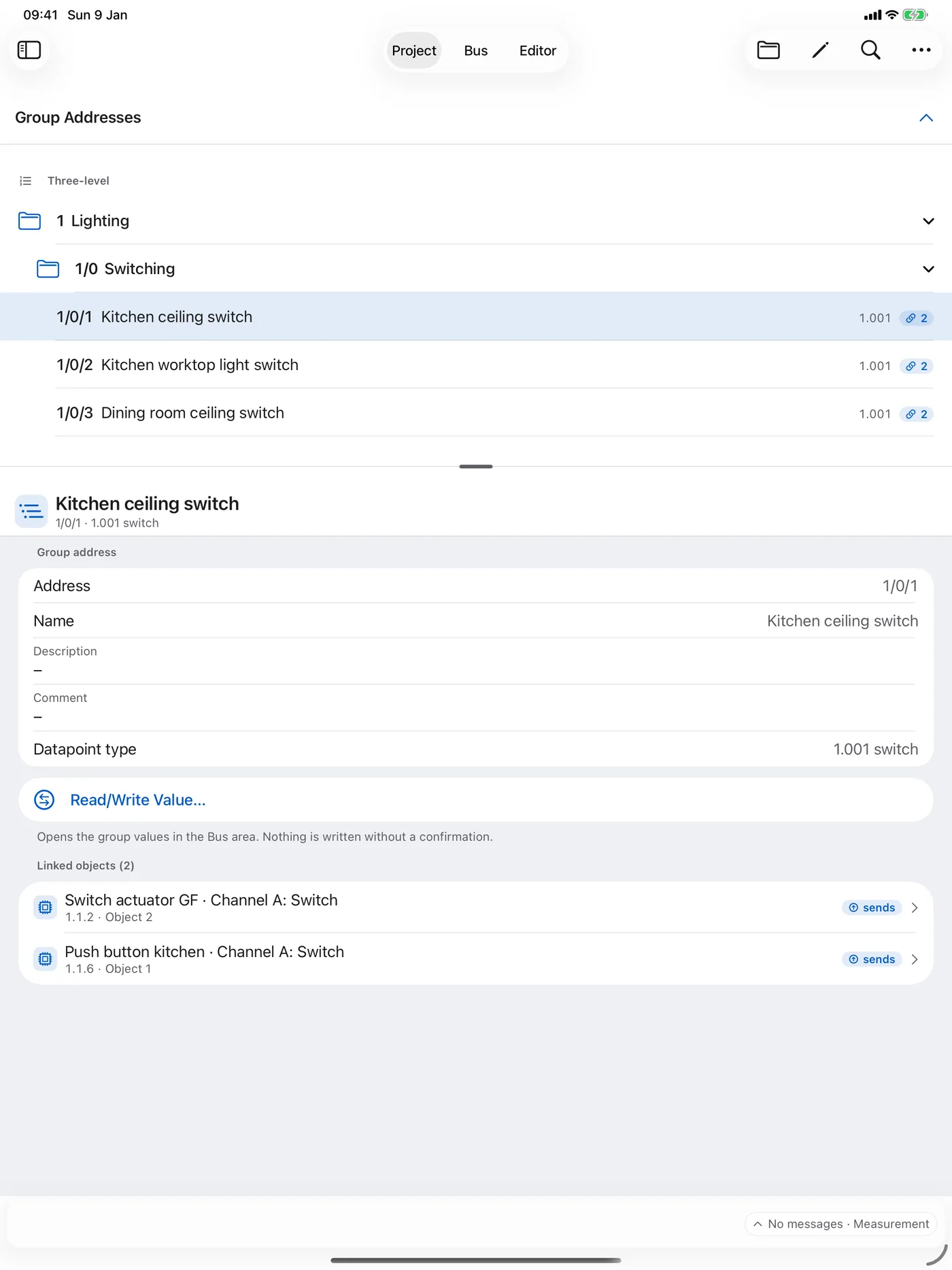
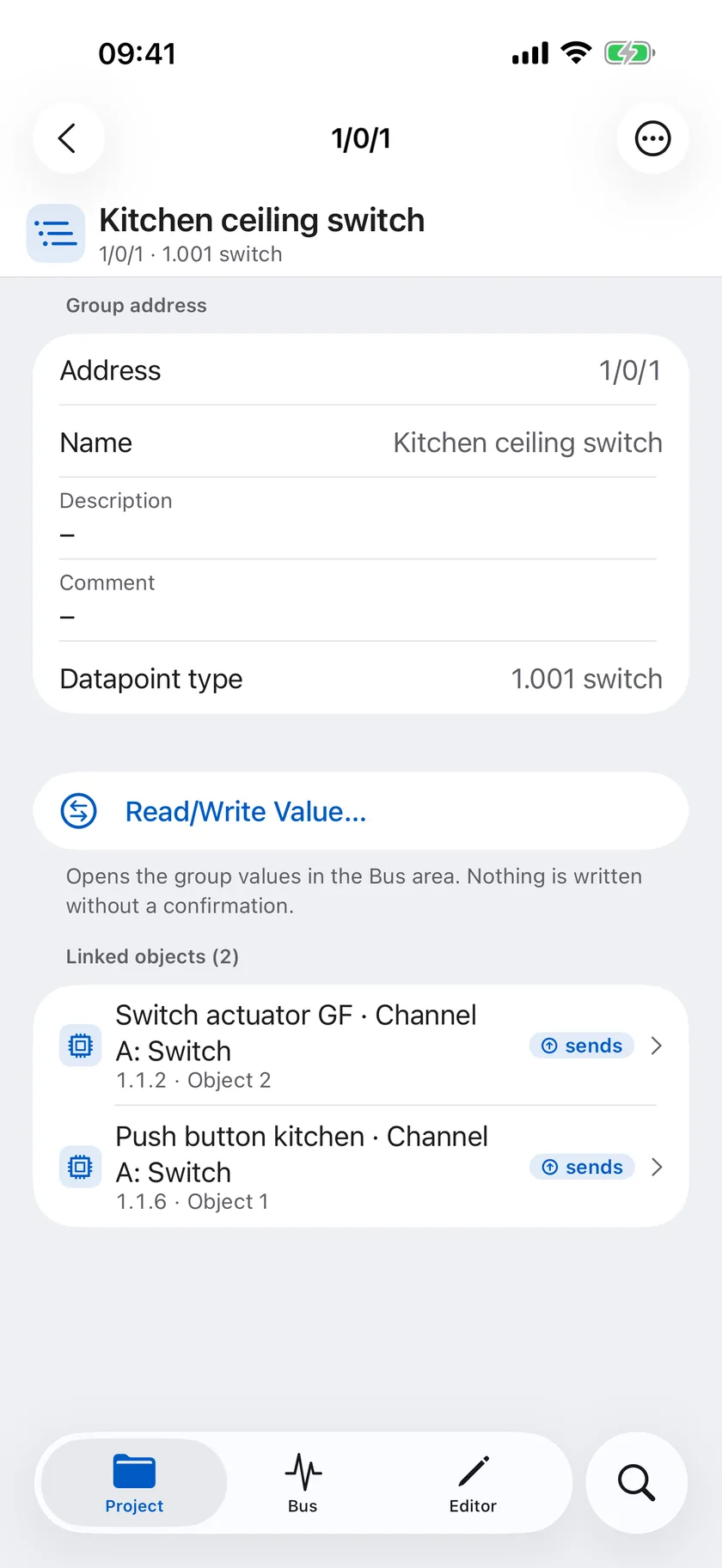
Group addresses
Main, middle and sub groups with datapoint type and linked objects. From here you go straight to reading or writing a value.
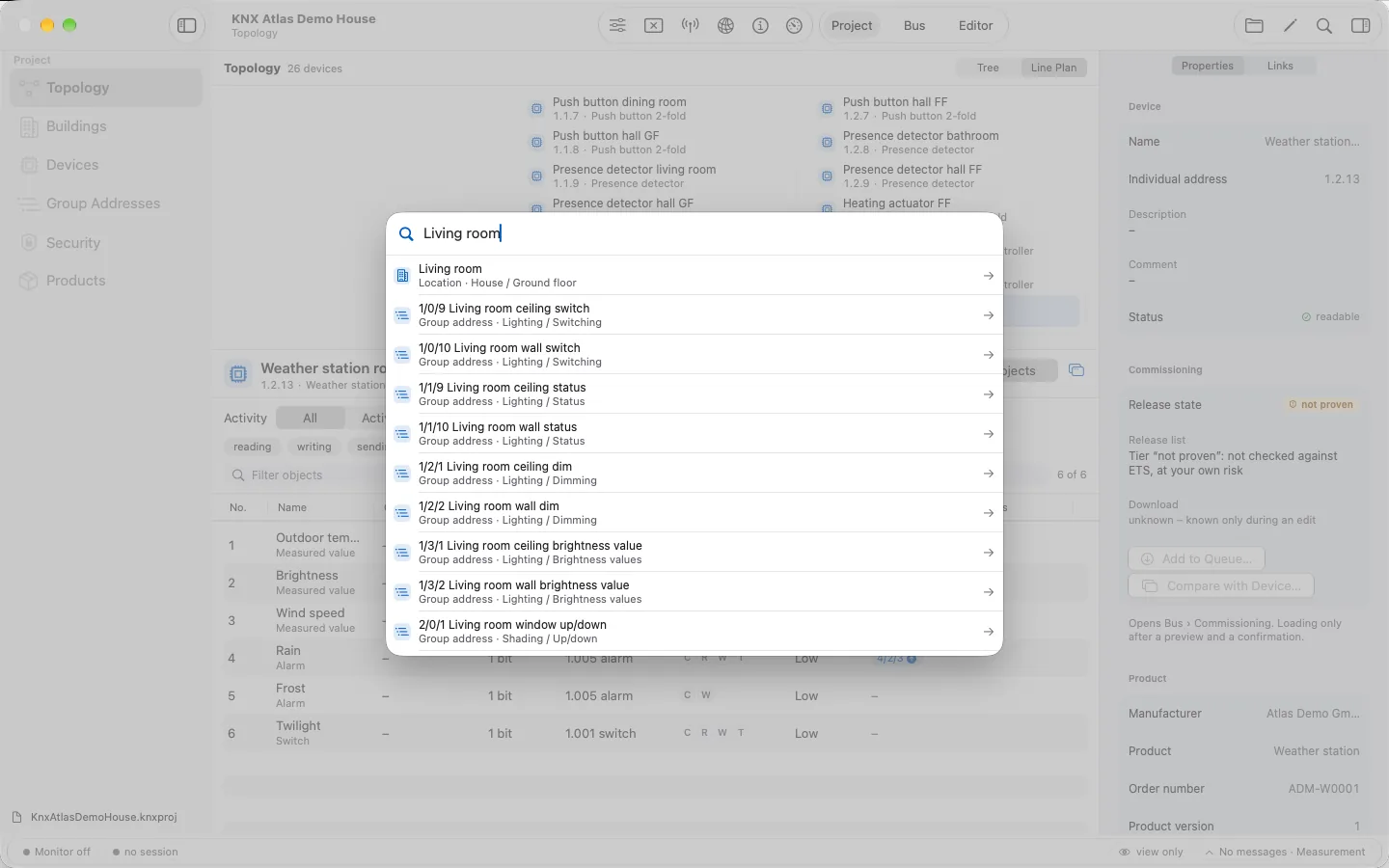
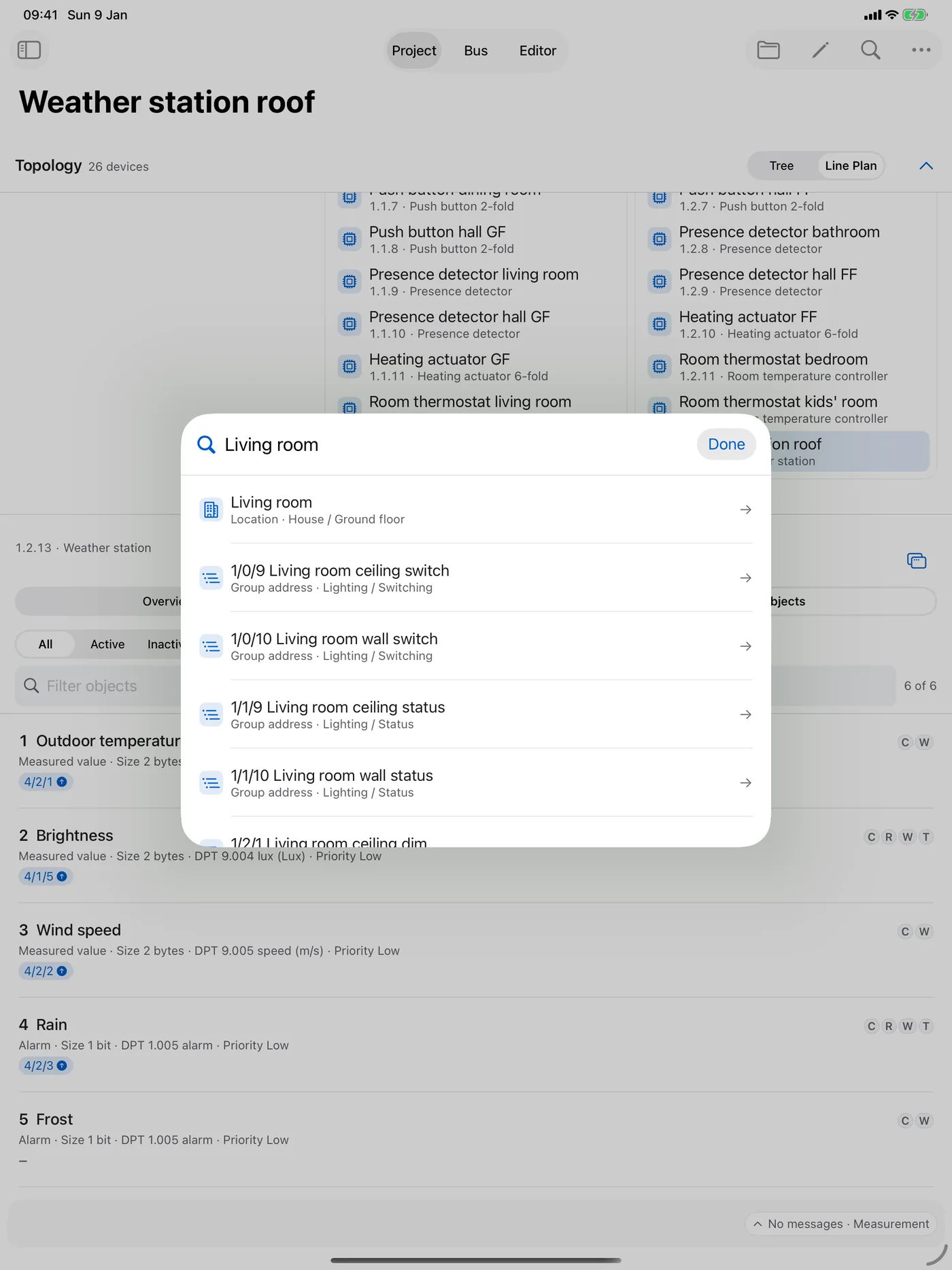
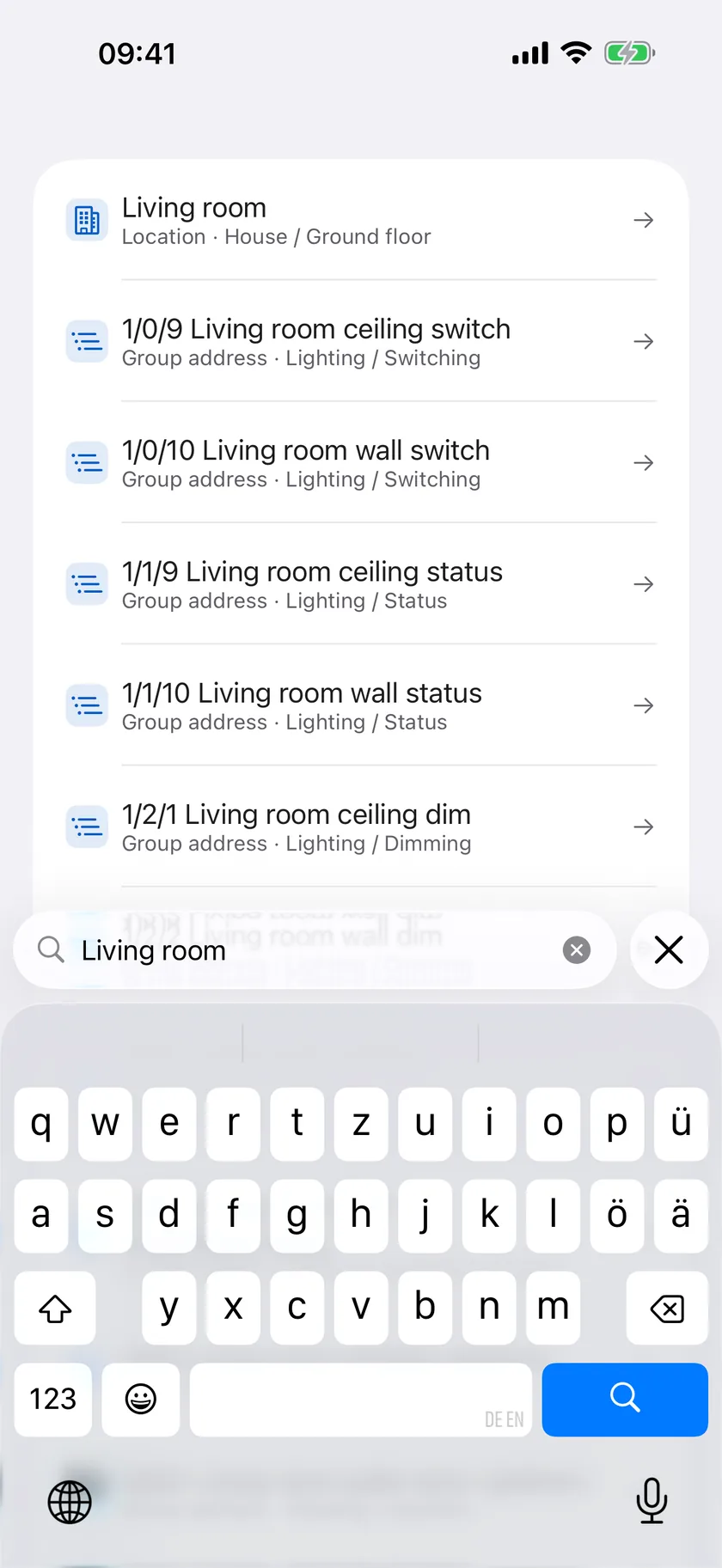
Search
One search across rooms, devices and group addresses. A result takes you straight to the right place in the project.
The screenshots show a demo project (“KNX Atlas Demo Haus”), not a real installation.
How it works
A traceable path from the file to the installation.
- 1
Open or create
Open a .knxproj file – with the project password if needed – or start a new project.
- 2
Understand
Through topology, buildings, group addresses or search to a device, its parameters and objects.
- 3
Change
Make targeted changes in the editor, check their impact and save the result as a separate file.
- 4
Commission
Connect on site via KNXnet/IP, program addresses, load devices, read them back and compare.
Principle
Nothing goes on the bus unnoticed.
Working on a live installation means knowing exactly what is happening. KNX Atlas therefore separates viewing, editing and sending – and asks for explicit confirmation of every action that changes something in the installation.
Viewing changes nothing
The project view is read-only. Changes happen only in an editor session you start on purpose.
A preview before every load
Before a download, the app shows steps, impact and duration – and from which step on the device is changed.
Backup and comparison
The device memory is backed up before loading, then read back and compared with the project.
Honest reports
If a run stops, the report says whether the device was already changed and which way leads back.
The original stays
Edited projects are saved as a separate file; the source file is never overwritten.
Proven or at your own risk
Applications proven against ETS are released. Others can only be loaded after an additional confirmation.
In detail
Six chapters about KNX Atlas.
Each chapter explains one area of work with its possibilities, requirements and limits.
- 01Explore projectsTopology, line plan, buildings, devices and group addresses are different ways into the same project. KNX Atlas keeps the connections in view as you move between them.Learn more
- 02Create & editCreate a new project, add devices from product data, adjust parameters and links – and check every change before it is saved as a separate file.Learn more
- 03CommissioningKNX Atlas loads the application, parameters and tables of a device from your project – with a preview before, a backup of the device memory and a comparison after. Programming individual addresses and partial downloads complete the picture.Learn more
- 04Monitor & group valuesFollow telegrams, narrow down the display and mark important moments. Check devices for reachability. Read group values and – after confirmation – write them with intent.Learn more
- 05KNX SecureKNX Atlas shows which secure information a project contains and what a connection is missing. KNX IP Secure and KNX Data Secure are marked exactly where they matter for your work.Learn more
- 06Compatibility & statusDevices, project files, connections and the current state of development – everything you should know before using KNX Atlas.Learn more
Platforms
One app. Three devices.
KNX Atlas is a native app that adapts to where you work – from the desk to the distribution board.
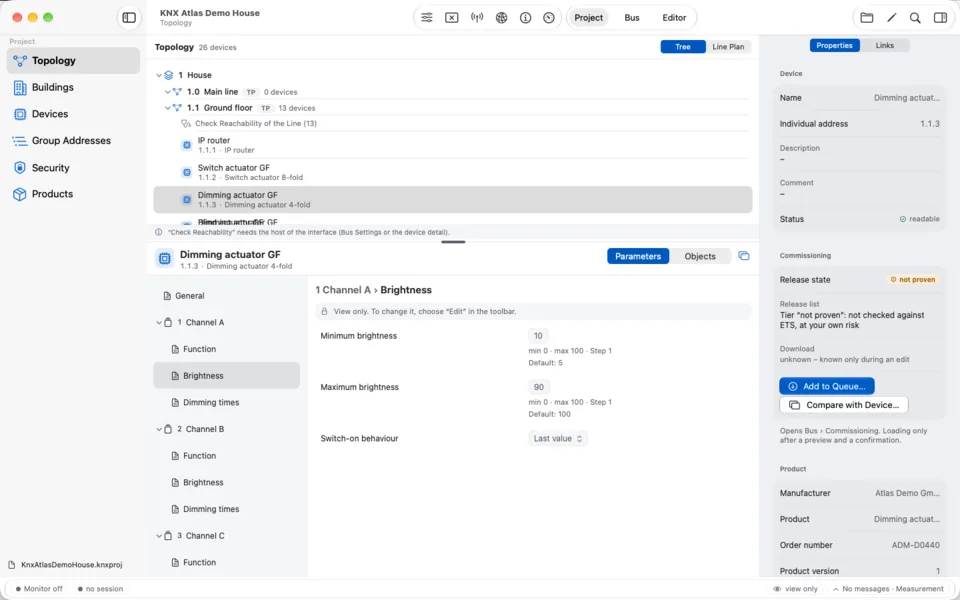
Mac
Sidebar, workspace and device inspector side by side. Menu commands, keyboard shortcuts and a search palette for the desk.
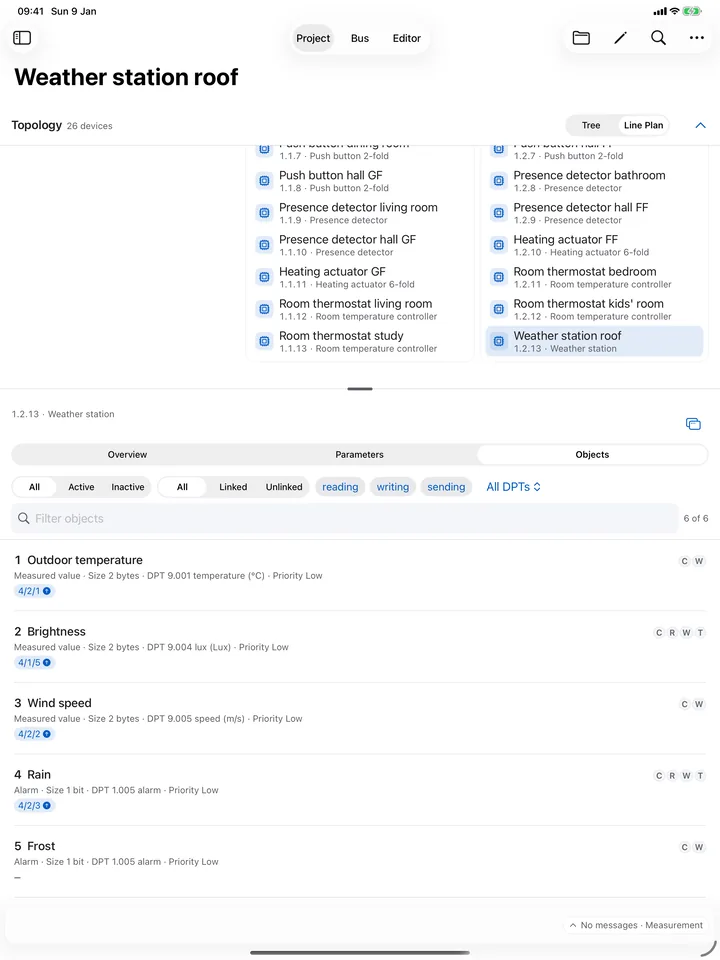
iPad
The full project view in portrait and landscape – for walking through the installation and commissioning on site.
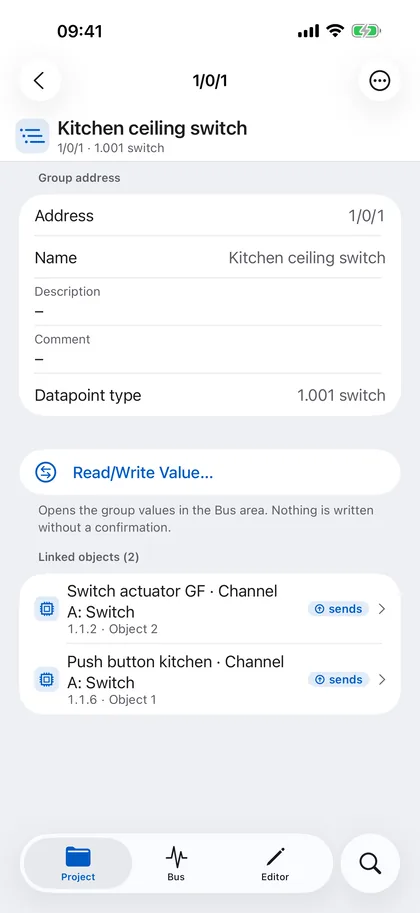
iPhone
Project, Bus and Editor as tabs with their own navigation – for a quick look at a device or a group address.
Requires macOS 26, iPadOS 26 or iOS 26.
Privacy
Your installation stays on your device.
Local processing
Project files are read and edited inside the app on your device. No project server is needed.
No account, no tracking
KNX Atlas needs no sign-in and contains no analytics or advertising services.
Passwords in the Keychain
Project passwords are remembered only if you want – in the device’s Keychain, bound to the file.
Online Catalog on request only
When you search the KNX Online Catalog, your search text and chosen products go to KNX Association’s public catalog server.
FAQ
Frequently asked questions
What is KNX Atlas for?
KNX Atlas helps you understand and work on a KNX installation: view and build projects, edit parameters and links, examine bus traffic and commission devices. It is made for integrators and technically experienced owners who want to use their Mac, iPad or iPhone for this.
Do I need Windows or ETS?
Not for the features described here – KNX Atlas runs natively on Apple devices. One limit concerns the way back: ETS opens a project written by KNX Atlas only after it has been re-signed. If a project is to be continued in ETS later, plan for this step.
Which project files are supported?
KNX Atlas works with ETS6 project files (.knxproj), including password-protected ones. How far a file can be shown and edited depends on its format and the product data it contains. The app tells you at the affected device when something is not supported.
Which connection to the installation is needed?
The bus tools use KNXnet/IP tunnelling through an IP interface or an IP router with tunnelling, also with KNX IP Secure. The app discovers interfaces on the local network; host and port can also be entered by hand. USB interfaces and IP routing are not supported.
Can I program devices with KNX Atlas?
Yes. KNX Atlas programs individual addresses and loads the application, parameters and tables of devices from your project – with preview, backup, readback and comparison. For supported profiles, a partial download of the group communication is possible too. The app shows at each device which applications are released.
Does KNX Atlas support KNX Secure?
Yes. KNX IP Secure is supported for connections, monitor, group values and downloads, KNX Data Secure for secure group communication. Data Secure devices can be loaded with their device certificate (FDSK) – currently for selected, verified applications. The keys come from the opened project.
Does the app work offline?
Yes. You can view and edit project files without an internet connection. The bus tools only need a connection to the KNX interface on your local network. The internet is needed only to search the KNX Online Catalog.
Do I have to upload my project file?
No. KNX Atlas processes the project locally on your device. If the file is in iCloud Drive or with another file provider, that provider syncs it independently of KNX Atlas.
Can I switch between Mac, iPad and iPhone?
Yes. A project is an ordinary file that you can open on all your devices, for example via iCloud Drive. Remembered project passwords live in each device’s Keychain, so you may have to enter one again on another device.
When will KNX Atlas be released and what will it cost?
KNX Atlas is in development and currently being tested as a preview. Release date, price and distribution are not decided yet. If you would like to be notified, send a short email.
Contact
Interested in KNX Atlas?
KNX Atlas is not yet available on the App Store. If you would like to hear about the release or have a question about a specific workflow, write to me – please without project files or passwords.
Send an emailcontact@drentner.at